Infotainment
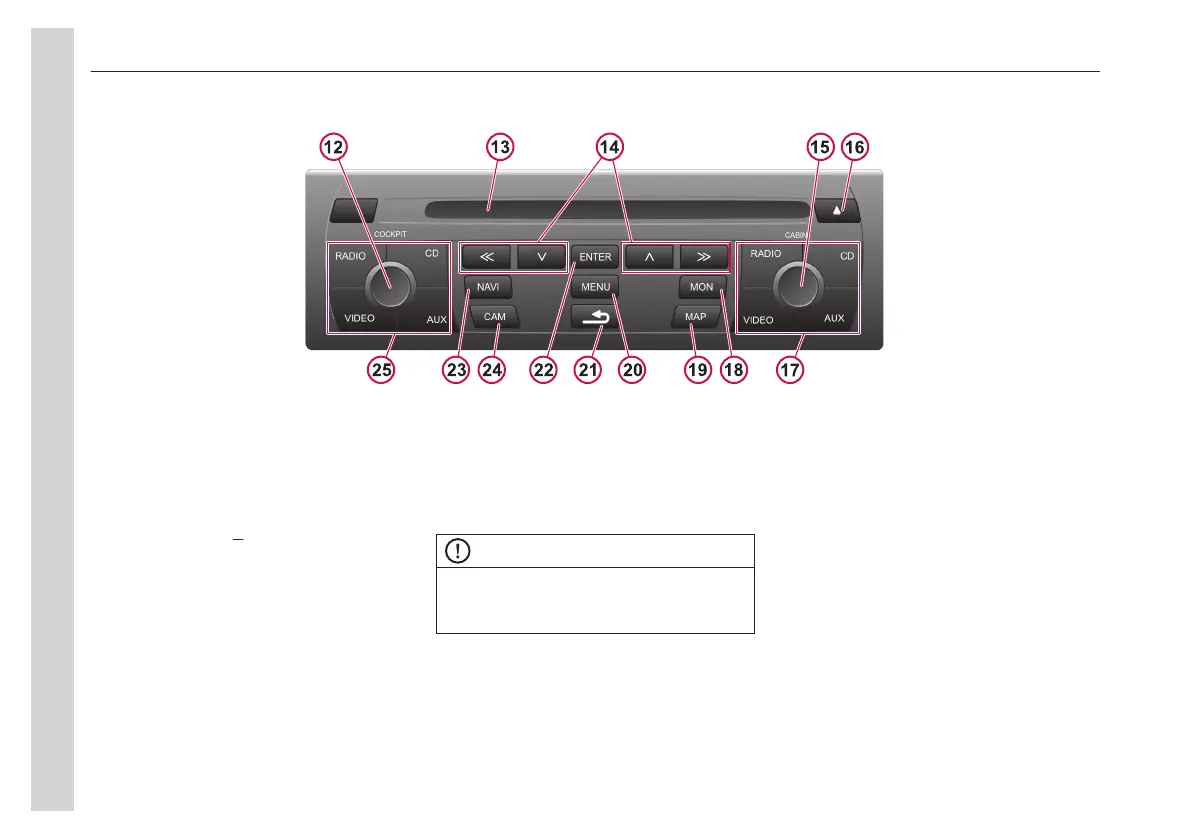
Control panel and DVD player
12. Control knob for
cockpit
13. DVD/CD compartment
14. Remote buttons
15. Control knob for
cabin
16. DVD/CD eject ▲
17. Source,
cabin
18. MAP button
19. MON button, on/off/sync monitors in
the
cabin
20. Menu, open main menu
21. Back
22. Enter, confirm choice, navigation,
video, DVD and TV mode
23. NAVI, activate/deactivate connected
navigation systems
24. CAM
25. Source,
cockpit
side (video only for
cabin)
NOTE
Information from the control panel is
shown in the radio panel display or the
dashboard display.
05
Equipment
64


 To Next Page