Infotainment
The radio starts at the same volume (but,
within the pre-set minimum and
maximum limits) it had when it was
turned off.
The minimum and maximum for start-up
volume are found here:
Menu -> Setvol -> Cockpit/Cabin -> Min
V/Max V
MAS settings
Turn the MAS on and off in the menu.
MAS is only visible in the menu if a MAS
- a multichannel audio system is
connected.
TV and DVD mode
The media player, together with external
devices and displays, is also a TV and
DVD-system for passengers in the bus.
Extra devices that can be connected to
the system:
• Video player
• DVD player
• TV tuner
Beside the internal DVD drive, two extra
video sources (video/DVD player or TV
tuner) can be connected. For two extra
video sources, a video box must be
used.
TV mode
To change TV channels in the
cabin
, use
the control panel or remote control to set
the focus to the cabin.
Start a channel search with the << or >>
buttons.
Switch to previous or next channel with ▼
or ▲ buttons.
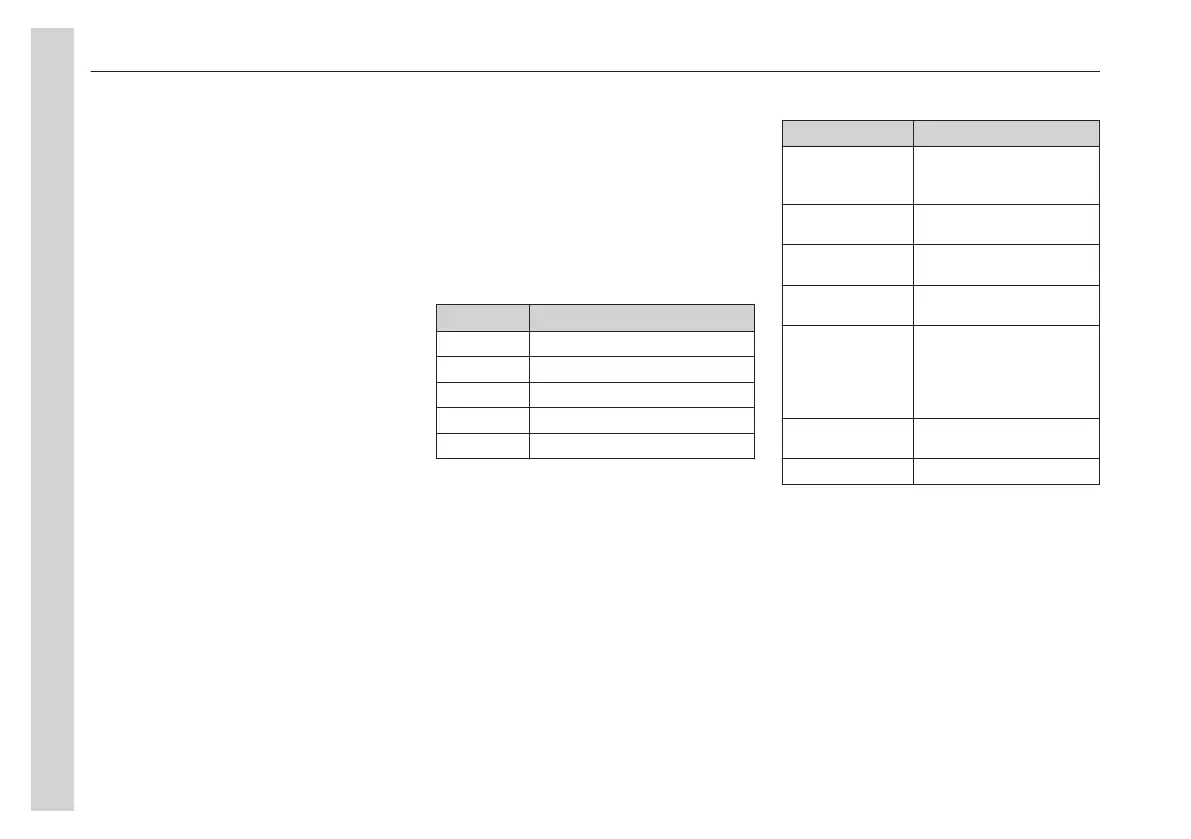
Functions in the TV menu
Function Action
<SEARCH Channel search downwards
SEARCH> Channel search upwards
PROG- Switch to previous
PROG+ Switch to next
*AUD Open sound settings
DVD mode
To control the VIDEO and DVD content
in the
cabin
, use the control panel or
remote control to set the focus to the
cabin.
Press the << or >> to switch between
chapters. To rewind or fast forward, hold
the buttons down.
Pause the playback with ▼ and resume
with ▲.
Functions in the DVD menu
Function Action
Chapter- /
Chapter+
Switch to the previous (-)
or next (+) chapter (DVD
is playing)
Random on/off Switches the random
mode on/off. (RND)
Repeat
on/off
Switches the track
repeat on/off. (RPT)
*AUD Opens the sound
settings menu.
*LANGUAGE Choose language for
menu, subtitles and
audio
(DVD-MEN, DVD-SUB
and DVD-AUD)
*PARENTA Select parental controls
(KID-SAVE or ADULT)
RESET Reset the DVD settings.
Monitor settings
The monitors in the cabin can be
manually turned on and off and/or be
synchronised when a video source is
playing in the cabin.
• To turn the monitors on or off, press
the MON (19) button briefly.
• To synchronise the monitors, long
press the MON button.
If the monitors are synchronised with a
video source, they turn on and off
together with the video source.
05
Equipment
68


 To Next Page