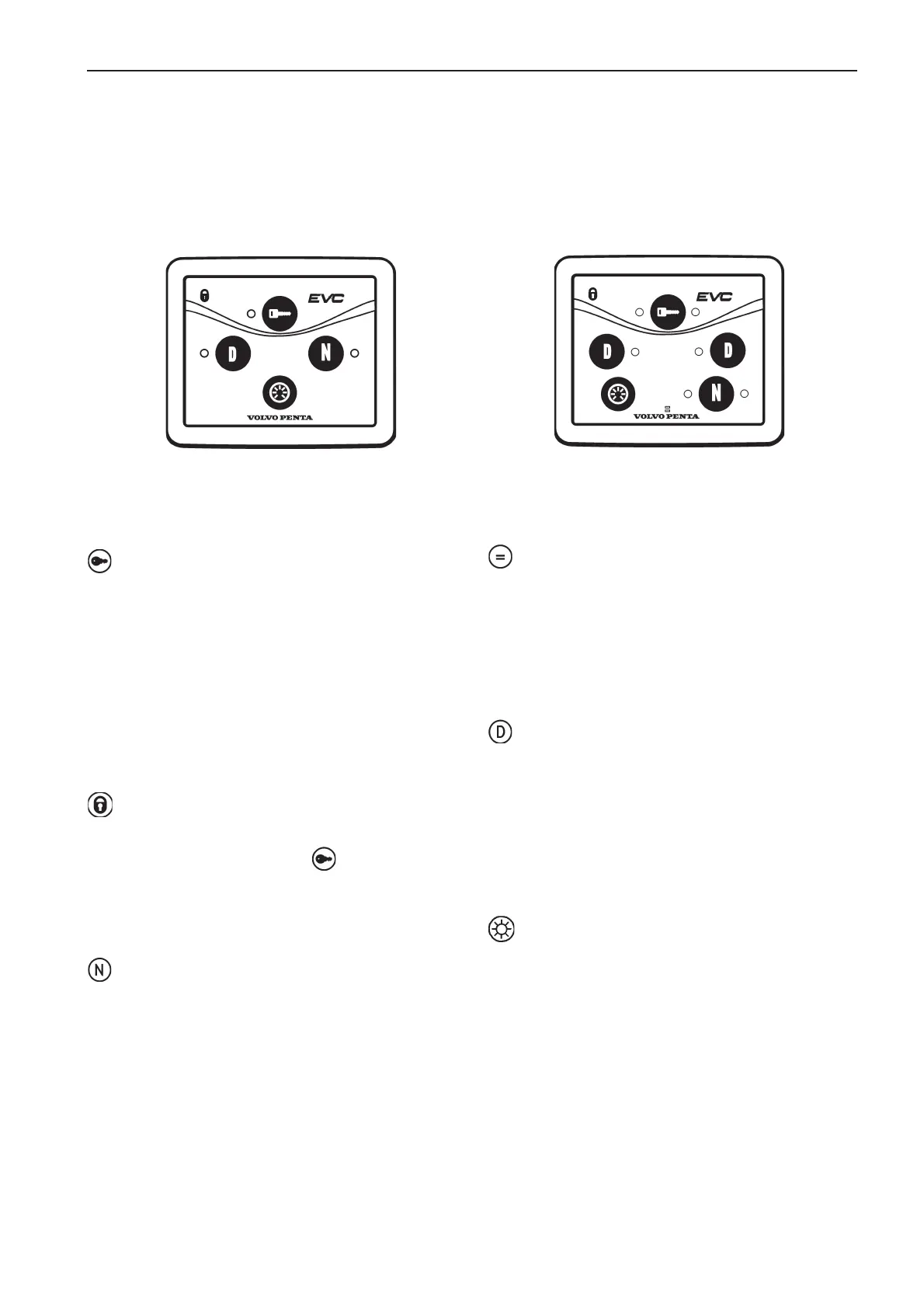
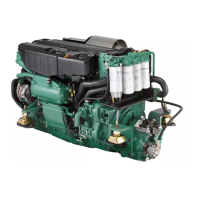
EVC control panel
There are two versions of the EVC control panel, one for single engine installations and another for twin installa-
tions.
Activation button
Used to activate the control panel, so that the engine
can be started and stopped.
Indication (red):
No light: Helm station is not activated.
Light on: Helm station is activated.
Flashing: The helm station cannot be activated be-
cause the control lever is not in the neutral position
or the system has been locked from another control
panel.
Padlock:
The padlock-symbol lights up if the helm station is
locked manually by pressing the -button, or if gear
is engaged during "Changing helm station while crui-
sing".
Light on: The system is locked and the engine can
only be controlled from an activated control panel.
Neutral button
Used to activate de-activate the reversing gear / stern
drive, so that the engine can be revved up.
Indicator (green):
No light: Reversing gear/stern drive is engaged.
Light on: The Control lever is in neutral position.
Flashing: Reversing gear/stern drive is in neutral.
Synchronization indication
The synchronization function automatically adjusts
the engines to the same speed (rpm).
Indication (blue):
No light: The synchronization function is not acti-
vated.
Light on: The synchronization function is activated
Diagnostic button
Used if the diagnostic function has registered mal-
function.
Indication (yellow):
No light: Normal operation.
Light on: Fault codes can be read.
Flashing: Diagnostic function has registered a mal-
function.
Dimmer function
Used to light up and extinguish background lighting in
the instruments and panels.
Press the button for at least 1 second to light or ext-
inguish background lighting. Background lighting can
be adjusted in five stages, by pressing the dimmer
button.



 To Next Page