26
Instruments
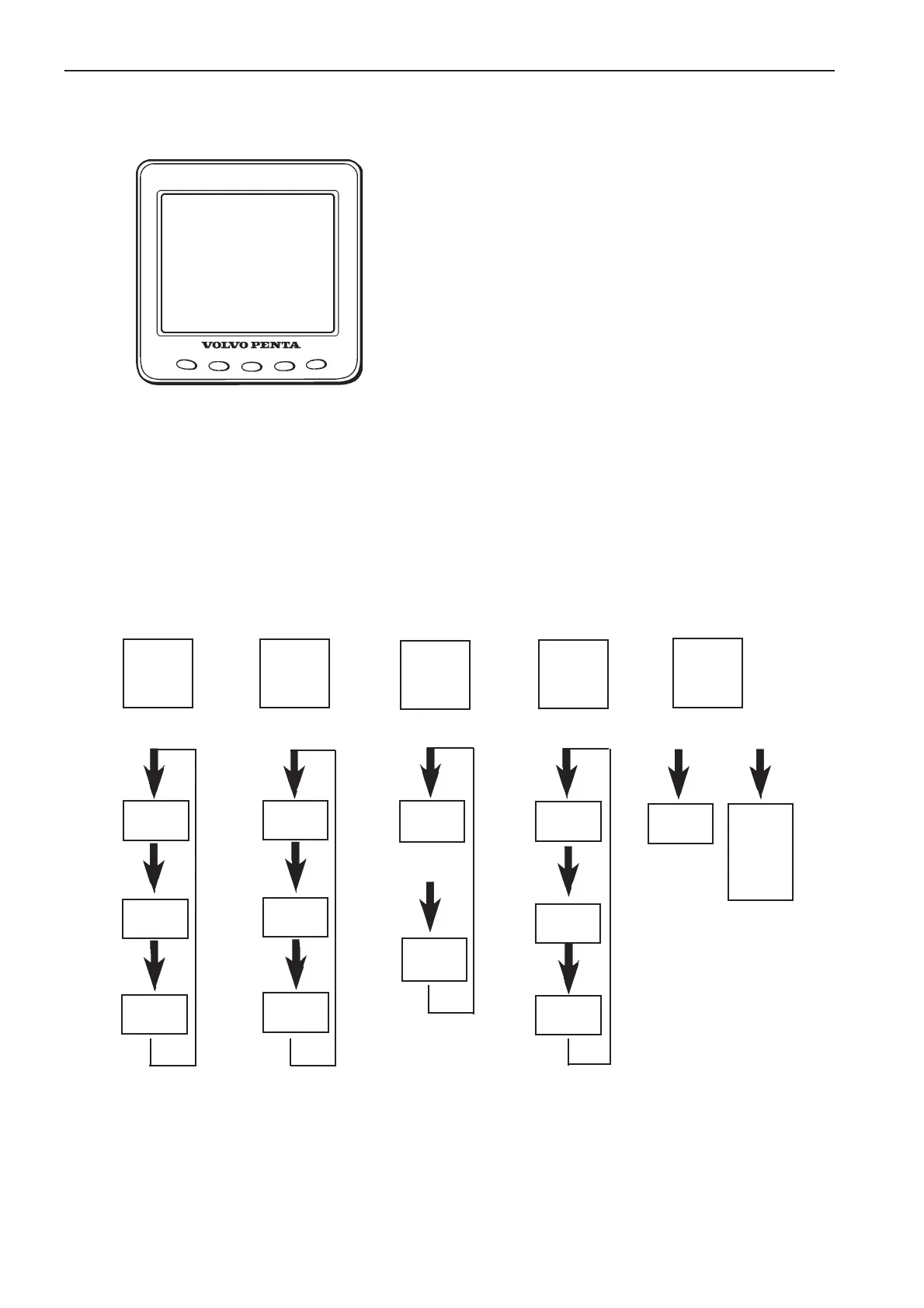
EVC-Display
Introduction
The Volvo Penta EVC-display is an instrument for indi-
cation of engine operating values. The display consists
of a computerised unit for fixed installation in a control
panel.
Indications are presented on a LCD-screen. The ope-
rator selects presentation mode using five white keys
on the front of the instrument. The four leftmost keys
allows the user to display data parameters in diffrent
ways. The right-most key allows the user to adjust the
contast/lighting or enter the configuration menu.
There is a 12-pin connector on the rear of the instru-
ment. The cable between the EVC display and the
helm control unit (HCU) is connected here.
EVC display top level menu structure
Key 1
Engine
(3 diffrent fuel
data)
Key 2
Multi
(3 diffrent
data views)
Key 3
Trip
(Reset trip)
Key 4
Graph
(16 diffrent
Graph data)
Fuel rate
Fuel con-
sumption
Trip fuel
Digital data
view
Gauge data
view 1
Gauge data
view 2
Reset
Trip data
Key 1
pressed
Key 2
pressed
Key 4
pressed
Graph
data 1
Graph
data 2
Graph
data 3...
Key 5
Contrast/
Lighting or
Configuration
Key 5
pressed 5 sek
Key 5
pressed
Contrast/
lighting
Key 3
pressed
Press and
hold key 3
for 3 sec
Trip data
Configuration
menu
-units
-settings
-alarm status
-service
-system
Key 1
Key 2
Key 3
Key 4
Key 5



 To Next Page