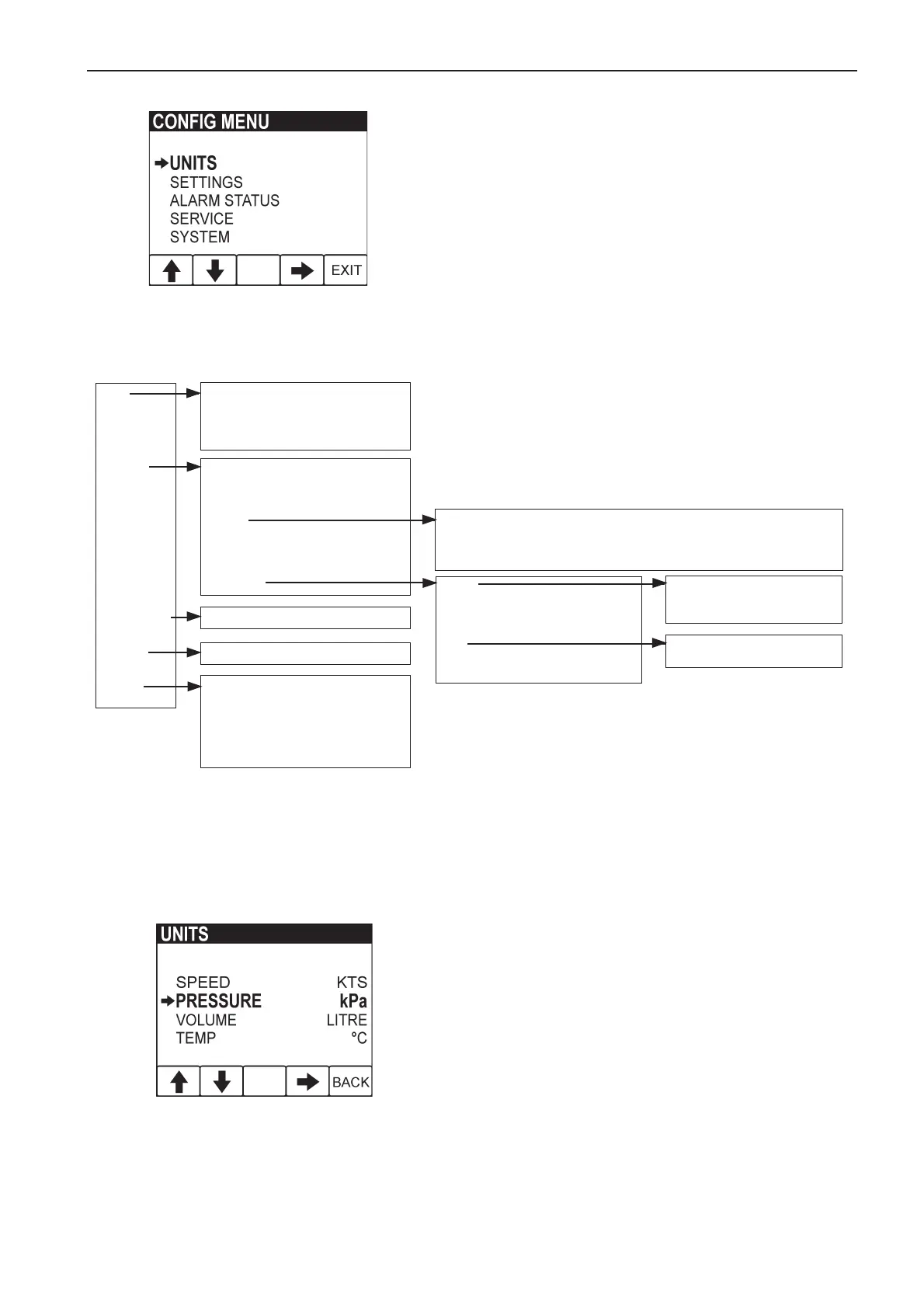
Configuration menu, key 5 (the rightmost
key), held for > 3s
The configuration menu allows the user to;
- adjust various functions/settings
- calibrate various parameters
- get various kind of information from the EVC system
Note! The port engine or both engines have to have
ignition on when settings are made or when resetting
data.
Configuration menu structure
Speed KTS MPH KM/H
Pressure kPa/PSI
Volume L GAL IGAL
Temperature ºF/ºC
Unit
Adjust and reset service
Demo
Restore defaults Imp/Met units
Com viewer
Prog tx
About
EVC About
Language 8 available
Bleep On, off
Engine PORT, STBD, TWIN,
SINGLE
Display
Calibration
Depth
Fuel
Speed Speed calib. page
Settings
Alarm status
Service
System
Alarm status page
Depth alarm
Alarm depth
Depth offset
Fuel alarm
Fuel level
Engine [2500rpm: 9000rpm] step 500 rpm
Speed On, off
Speed [10KTS: 100KTS] steps of 10 (in current speed unit)
Graph range 2MNS, 10MNS, 30MNS, 60MNS, 2 HRS, 4 HRS, 8 HRS
Units
The units page allows the user to choose which
units to display.
- Speed: KTS, MPH, KM/H
- Distance is adjusted according to speed unit:
NM, MILE, KM
- Pressure: kPa, PSI
- Volume: LITRE, GAL, Imperial GAL
- Fuel rate: is adjusted according to volume unit:
L/H, GAL/H, IGAL/H
- Temperature: ºC (CELSIUS), ºF (Fahrenheit)



 To Next Page