3 Engine speed
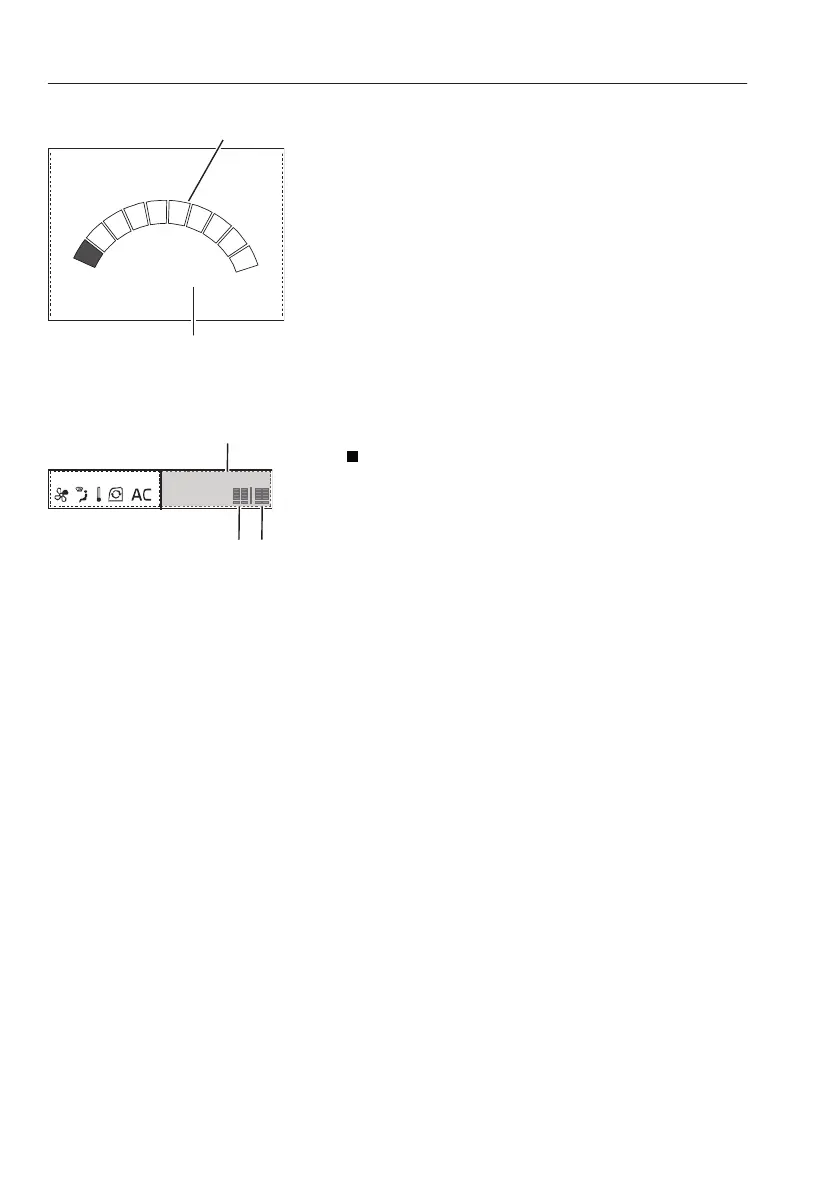
Engine speed screen is displayed when the "Menu
screen" is not shown in the "Main screen". For main
menu screen, see page
45
.
The "Engine speed step" selected on "Engine
speed control switch" is displayed on an engine
speed graph which is a segmented bar graph.
The actual speed is displayed below the engine
speed graph (maximum four-digit number).
When the engine is off, engine speed is displayed
as "0".
NOTE!
Engine speed may vary according to the optional
equipment.
4 Mode
Flow: Shows LH and RH speed (flow) of selected
options, refer to page
45
for speed (flow) setting
instructions.
1 Engine speed step
2 Actual engine speed
1 Mode screen
A Flow of Dozer blade or X3 (Rotator)
B Flow of Boom swing or X1 (hammer
or shear)
40
Instrument panels
Instrument panel, front


 To Next Page