- HAMMER
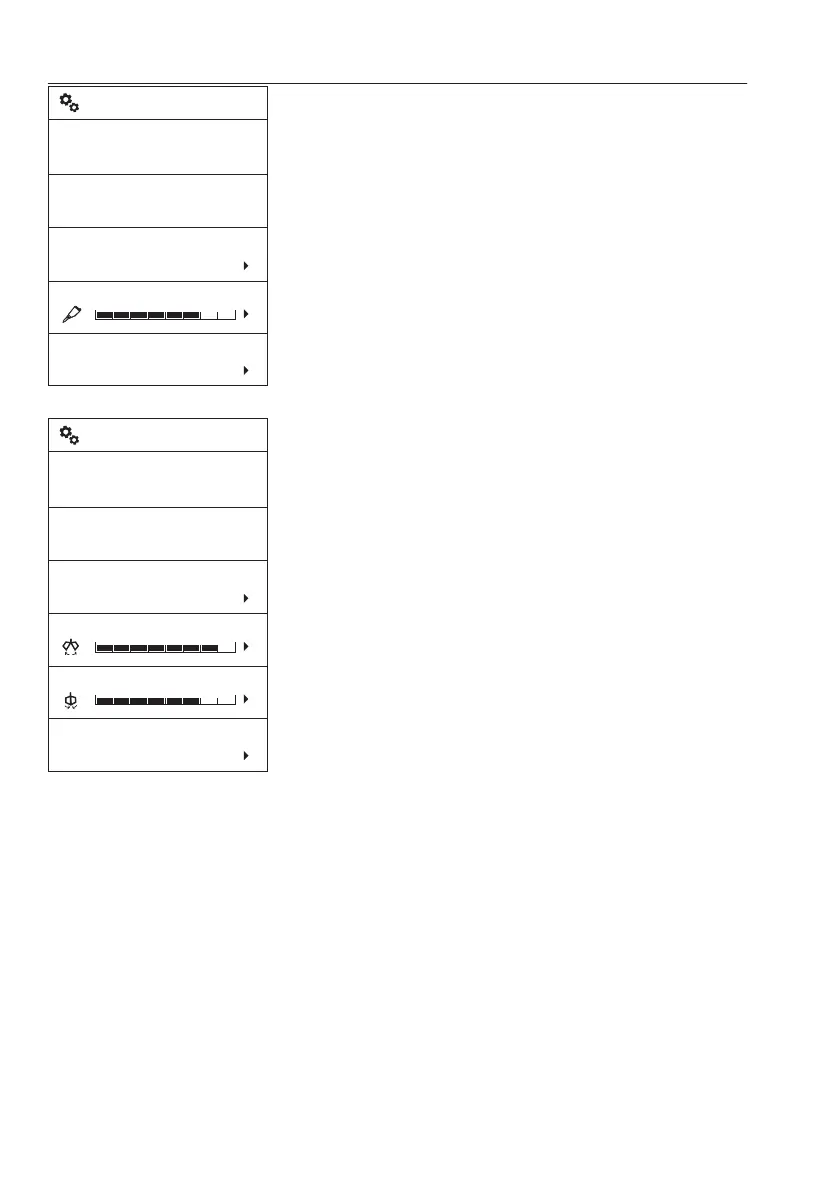
Control type: Choose the control type.
Select the preferred control type using the
arrow buttons.
Save the selected item using the SELECT
button. Use ESC button to cancel without
saving.
For information on control types, see page
85
.
RH speed: This is to adjust hammer speed.
Response mode : The operator can adjust
the movement sensitivity of hammer when
operating the levers. “Active" mode is the
most sensitive.
- SHEAR
Control type: Choose the control type.
Select the preferred control type using the
arrow buttons.
Save the selected item using the SELECT
button. Use ESC button to cancel without
saving.
For information on control types, see page
85
.
LH speed: This is to adjust shear LH speed.
RH speed: This is to adjust shear RH speed.
Response mode: The operator can adjust
the movement sensitivity of shear when
operating the levers. “Active” mode is the
most sensitive.
V1158331
Name
Hammer
Acting direction
1 way
Control type
Push
RH speed
Response mode
Active
Hammer
MaxMin
Name
Shear
Acting direction
2 way
Control type
Proportional
LH speed
Shear
MaxMin
V1158333
RH speed
Response mode
Active
MaxMin
58
Instrument panels
Display unit


 To Next Page