New
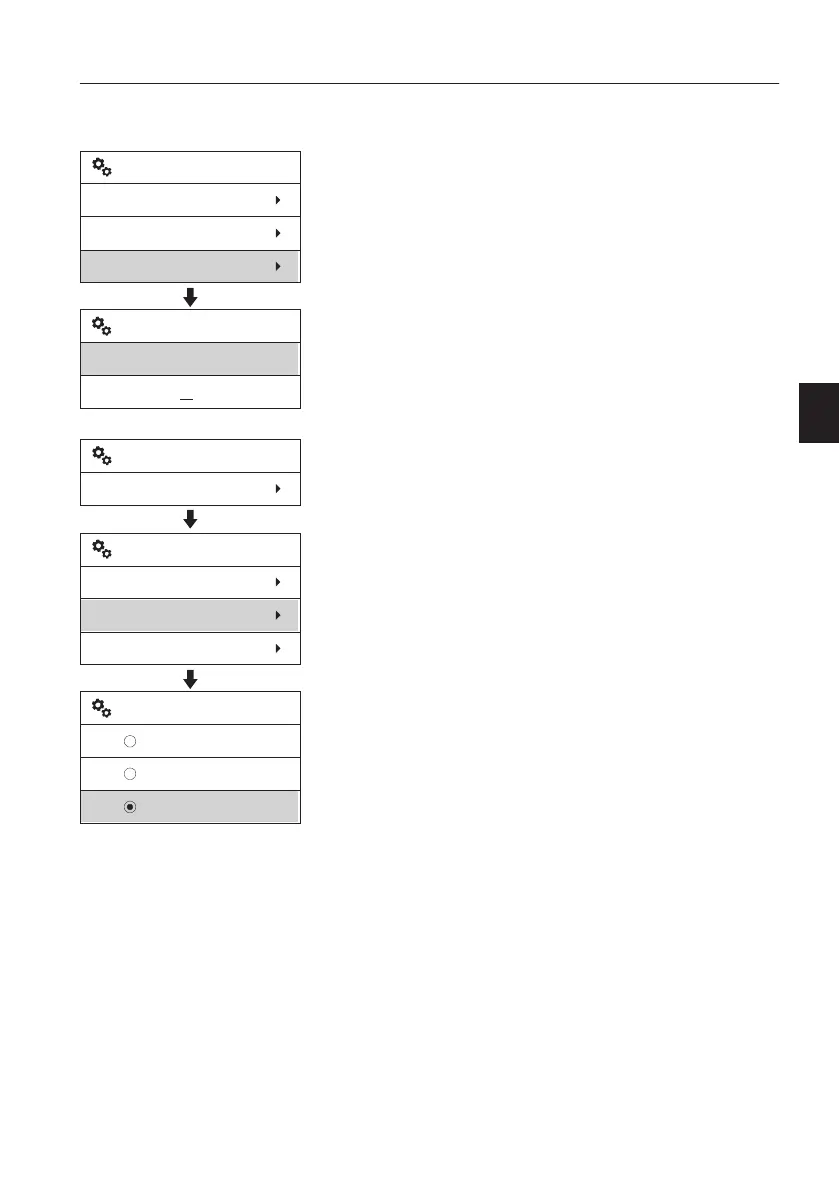
The New setting is used to add new X1 tools.
Follow the steps described below.
1 Select "New" after entering "X1 ".
2 Enter the name of the tool.
- Use the arrow UP and arrow DOWN button
to select the characters (A,B...Z,0,1...9).
- Use the arrow right (or left) to select next
character.
- Press the SELECT button to save the name.
- Use the ESC button to get out of screen
without save.
3 Select “Adjust tool setting” and then choose
the new tool which is newly created.
X1
Select work tool
Adjust tool setting
New
Enter tool name:
VOLVO
New work tool
V1158334
V1158335
Setup
X1
X1
Select work tool
Adjust tool setting
New
Hammer
Shear
VOLVO
Adjust tool setting
Instrument panels
Display unit
59


 To Next Page