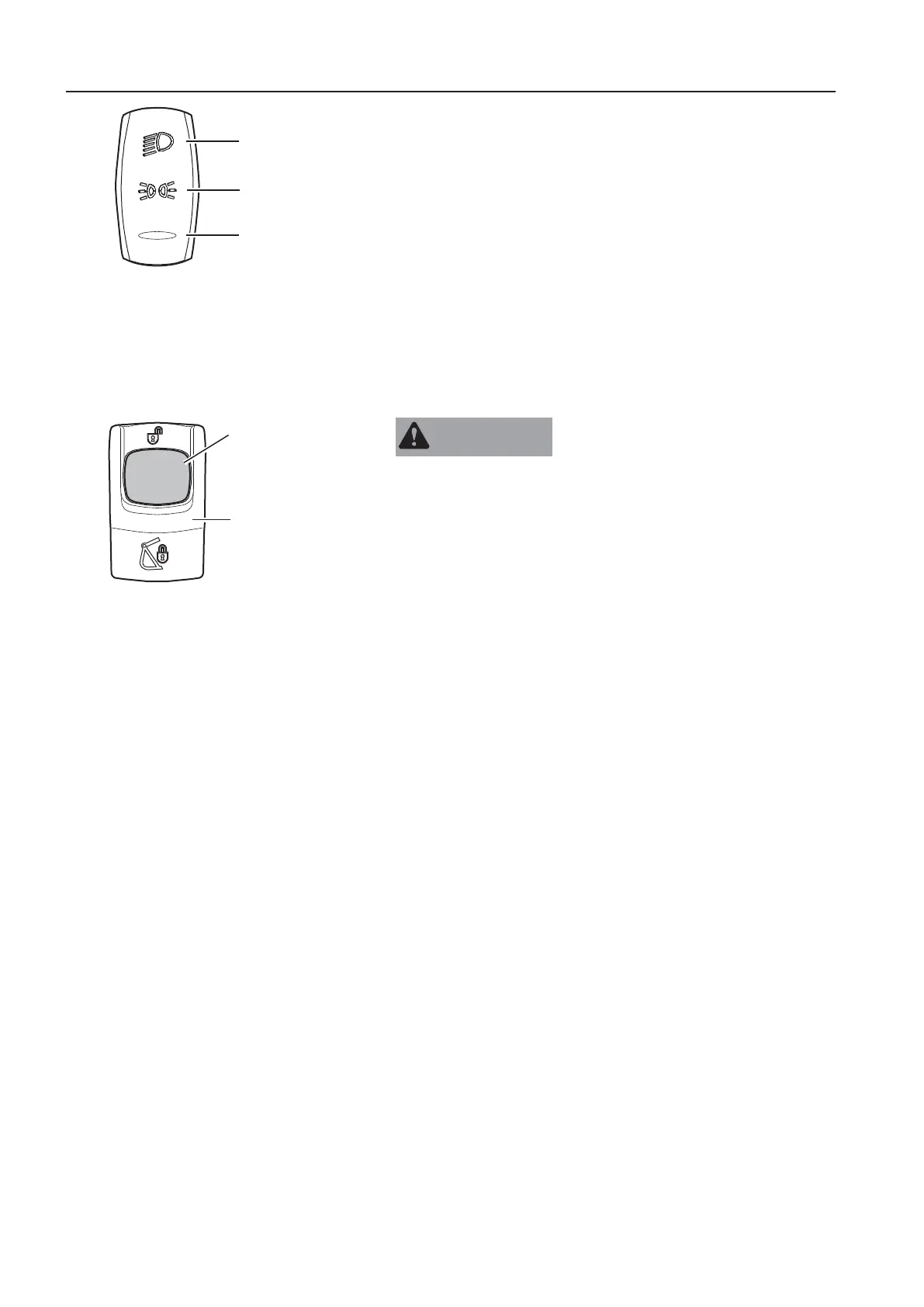
1
A Travel lights
B Parking lights
C Lights off
For working light switch see IC (Instrument Cluster) control
keypad (position 3).
O
T
E
The parking lights can be switched on also with ignition off.
To save the battery it is not recommended to keep them switched
on for a long time with ignition off.
1
.
t
t
a
c
m
e
n
t
u
i
c
u
p
l
e
r
i
t
c
o
p
t
i
o
n
a
l
q
u
i
p
m
e
n
t
)
A
R
N
I
N
G
Risk of crushing!
Attachments that move unexpectedly can cause injuries.
r
o
l
a
y
f
h
r
r
a
h
e
n
n
c
i
n
g
r
i
s
n
e
c
i
n
t
t
a
t
s
n
i
t
i
t
e
h
p
n
i
n
g
f
h
t
a
c
m
n
p
l
e
r
Push the red button (1) of the attachment quick coupler switch (2)
and push down the upper end of this switch simultaneously to
initiate the quick coupler opening. The switch will be locked in this
position.
When the attachment quick coupler is initiated, a yellow quick
coupler symbol and a check message for unlocked quick coupler
will appear in the IC (Instrument Cluster). Additionally the buzzer
sounds continuously.
O
T
E
The attachment quick coupler confirmation switch (position 8) on
the left instrument panel must be pressed to open the attachment
quick coupler. See page
34
for the operation.
Connect the attachment according to the operation description on
page
210
.
I
n
i
t
i
t
e
h
s
g
f
h
e
t
a
c
m
n
u
i
c
r
Press the lower end of the attachment quick coupler switch (2) to
close the quick coupler. A yellow quick coupler symbol and a
check message for quick coupler locking confirmation will appear
in the IC (Instrument Cluster) and the buzzer sound will continue.
O
T
E
!
When the attachment is correctly locked in the attachment quick
coupler, this has to be confirmed by pressing the upper end of the
attachment quick coupler confirmation switch (position 8) on the
left instrument panel, see page
34
.
S
e
a
1
0
f
o
r
h
e
m
e
t
e
r
r
f
h
e
t
t
a
m
u
u
l
e
e
r
t
i
n
.
V1185536
A
C
B
V1148410
1
2
Attachment quick coupler switch
4
n
s
r
u
m
e
n
t
a
n
e
l
s
n
s
r
u
m
e
n
t
a
n
e
l
,
i
g
h
t



 To Next Page