AUDIO AND MEDIA
* Option/accessory.
63
Voice recognition
Voice recognition allows the driver to voice-acti-
vate certain functions in the multimedia system,
in the radio, in a Bluetooth
®
-connected mobile
phone or in Volvo's navigation system*.
Voice commands allow the driver to concentrate
on driving and focus attention on the road and
traffic situation.
WARNING
The driver always holds overall responsibility
for driving the vehicle in a safe manner and
complying with all applicable rules of the road.
The voice recognition system allows the driver to
voice-activate certain functions in the multimedia
system, in the radio, in a Bluetooth
®
-connected
mobile phone or in Volvo's navigation system*,
while the driver can keep his/her hands on the
steering wheel at the same time.
Voice recognition control takes place in dialogue
form with spoken commands from the user and
verbal response from the system.
The voice recognition system uses the same
microphone as the Bluetooth
®
handsfree system,
see Bluetooth
®
handsfree phone - overview
(p. 58), and the voice recognition system's replies
come via the car's speakers.
Getting started with voice recognition
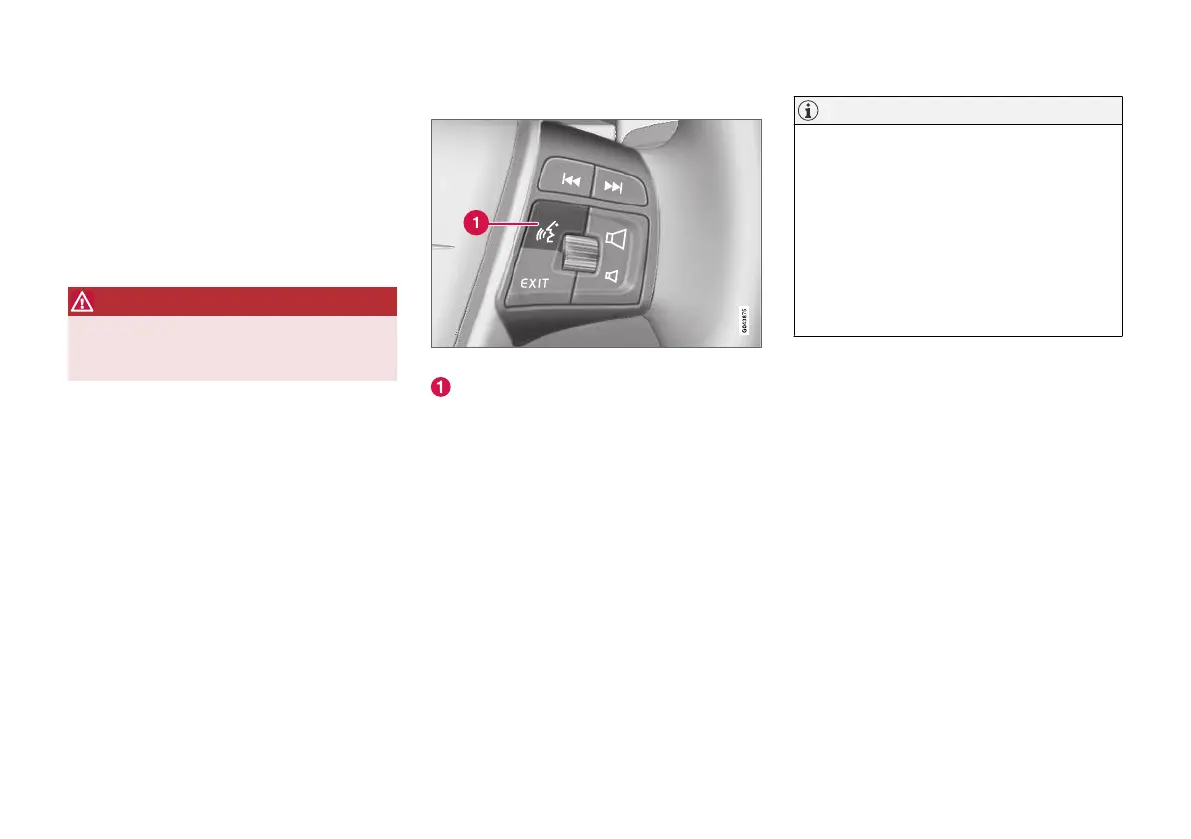
Steering wheel keypad.
Button for voice recognition
•
Press the button for voice recognition (1) in
order to activate the system and initiate a
dialogue with voice commands. The system
will then display commonly used commands
in the screen in the centre console.
Keep the following things in mind when you use
the voice recognition system:
•
For a command - speak after the tone, with
normal voice at normal speed.
•
Do not speak while the system is replying
(the system cannot understand commands
during this time).
•
Avoid background noise in the passenger
compartment by keeping doors, windows and
the sunroof* closed.
NOTE
If the driver is unsure of which command to
use, he/she can say "
Help" - the system
then responds with several different com-
mands which can be used in the current sit-
uation.
Voice recognition can be disabled by:
•
saying "
Cancel"
•
Press EXIT or another main source but-
ton (e.g. MEDIA).
Volume
Voice recognition system volume is adjusted
using the centre console's VOL control when the
system is speaking.
Connecting a mobile phone
Before voice commands to a mobile phone can
be used the mobile phone must be registered
and connected via Bluetooth
®
handsfree. If a tel-
ephone command is given and no mobile phone
is connected then the system will provide infor-
mation about this. For information on registering
and connecting a mobile phone, see Registering
a Bluetooth
®
device (p. 54).



 To Next Page