AUDIO AND MEDIA
64
Language options for voice
recognition
Possible language options for voice recognition
(p. 63) are selected in the menu system MY
CAR.
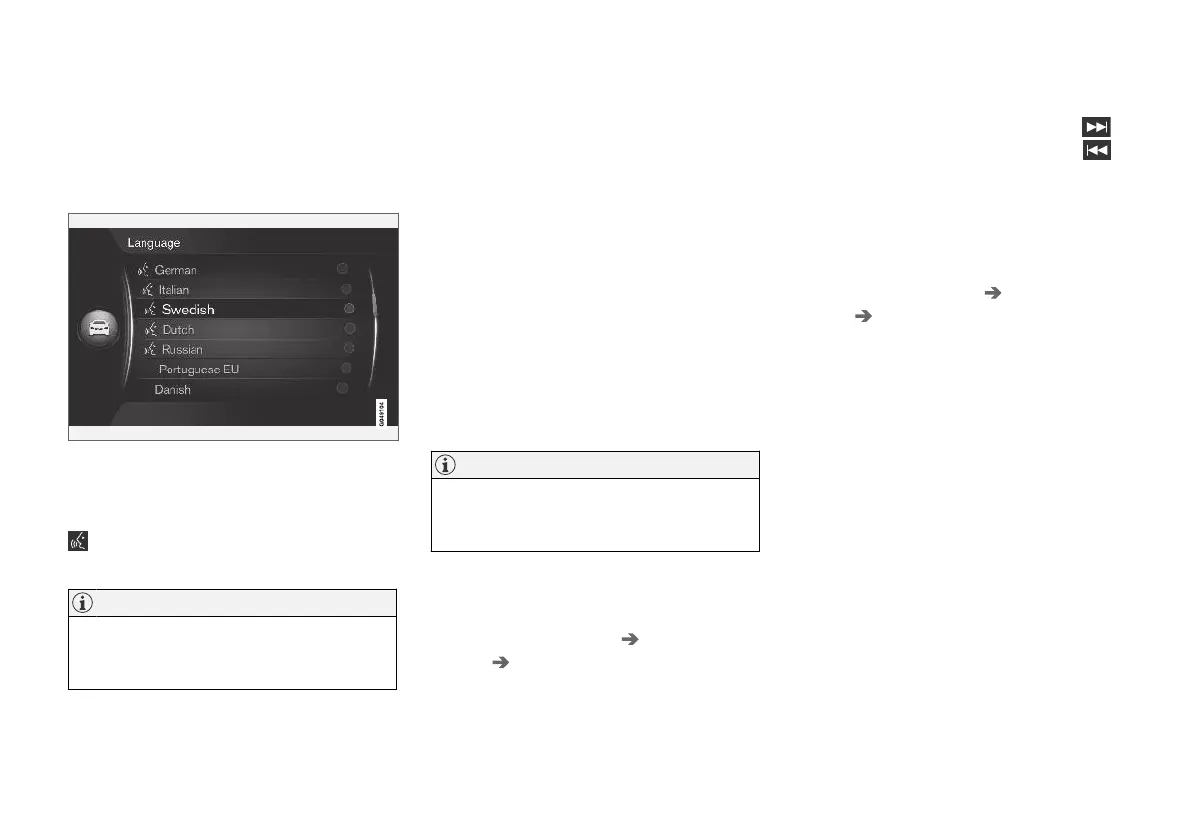
Language list.
Voice recognition is not possible for all lan-
guages. Languages available for voice recogni-
tion are marked with an icon in the language list -
. Changing the language is performed in the
menu system MY CAR (p. 14).
NOTE
Changing the language for voice recognition
is not possible without also changing the lan-
guage for whole the menu system.
Help functions for voice recognition
Help functions are available to help you become
familiar with the voice recognition system (p. 63)
and to give you the opportunity to teach the sys-
tem your voice and your accent.
•
Voice tutorial: A function that helps you get
familiar with the system and the procedure
for giving commands.
•
Voice training: A function that enables the
voice recognition system to learn to know
your voice and your accent. The function pro-
vides an opportunity to voice train one user
profile.
•
Brief instructions: A function that reads out
brief instructions about how the system
works.
NOTE
Voice recognition instructions and voice train-
ing can only be started when the car is
parked.
Voice tutorial
The instructions can be started in the normal
view for MY CAR (p. 14) by pressing OK/MENU
and then selecting
Settings Voice control
settings
Tutorial.
The instructions are divided into 3 lessons, which
take approximately 5 minutes in total to com-
plete. The system starts with the first lesson. To
skip a lesson and go to the next one, press
.
Go back to the previous lesson by pressing
.
End the instructions by pressing EXIT.
Voice adaptation
The system displays a number of phrases for you
to say. Voice adaptation can be started in the
normal view for MY CAR by pressing OK/MENU
and then selecting
Settings Voice control
settings
Speaker adaptation.
After voice adaptation has been completed,
remember to select the profile (p. 65)
Trained
user under User setting.
Note that if a different language option for voice
recognition (p. 64) is selected, then new voice
training is required.
Brief instructions
The system reads out brief instructions for voice
recognition. The instructions are started by press-
ing the button for voice recognition (p. 63) and
saying "
Brief instructions".



 To Next Page