||
AUDIO AND MEDIA
72
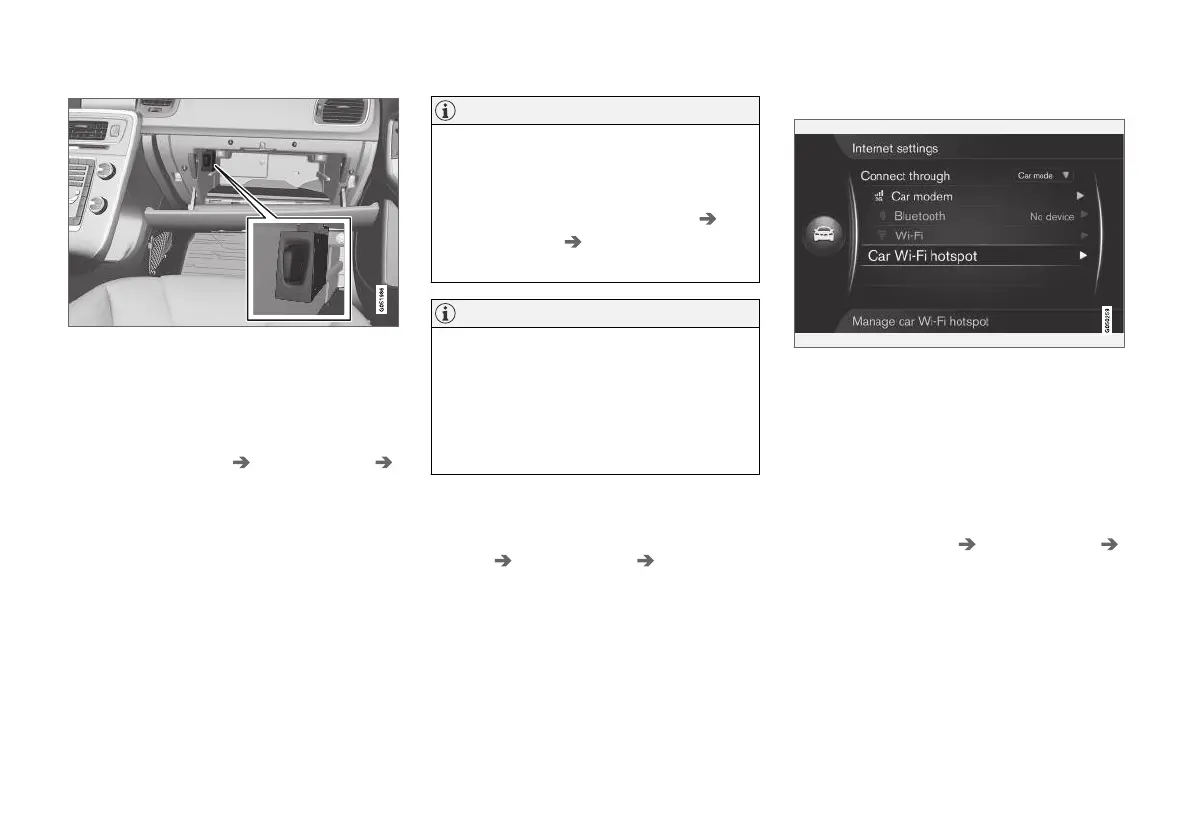
Holder for SIM card in the glove box.
1. Fit your personal SIM card in the holder
which is located in the glovebox.
2.
Press MY CAR in order to reach the normal
view for the source. Then press OK/MENU
and select
Settings Internet settings
Car modem.
3. Enter the SIM card's PIN code.
> The car connects to the Internet and it is
possible to use its Internet functions, see
Internet-connected car (p. 69).
NOTE
To avoid having to enter the PIN code every
time the car is restarted it is recommended to
switch off the PIN code lock. Press MY CAR
to reach the normal view for the source. Then
press OK/MENU and select
Settings
Internet settings Car modem. Deselect
the check box
Lock SIM card.
NOTE
Data is transferred when using the internet
(data traffic), which can have a cost.
Activation of data roaming can result in fur-
ther charges.
Contact your network operator about the cost
for data traffic.
To deactivate the Internet connection, press
MY CAR in order to reach the normal view for the
source. Then press OK/MENU and select
Settings Internet settings None.
Share Wi-Fi-hotspot
When the car is connected to the Internet via car
modem it is possible to distribute the Internet
connection (Wi-Fi-hotspot) so that other devices
can use the car modem.
The network operator (SIM card) must support
tethering (distribution of Internet connection).
1.
Press MY CAR in order to reach the normal
view for the source. Then press OK/MENU
and select
Settings Internet settings
Car Wi-Fi hotspot
2. Enter the name of the Wi-Fi network (SSID)
and enter a password. The name should con-
tain 6-32 characters, and the password
10-63 characters. It is possible to change
the name and password later on.



 To Next Page