||
AUDIO AND MEDIA
76
a|A
Changes between lowercase and
uppercase letters with OK/MENU.
| | }
Changes from the character wheel
to the
Address: field. Move the cur-
sor with TUNE. Delete any misspell-
ing with EXIT. To return to the char-
acter wheel, press OK/MENU.
Note that the digit and letter buttons
on the control panel can be used for
editing in the
Address: field.
A short press on EXIT deletes an input character.
A long press on EXIT will clear all entered char-
acters.
Enter with the numerical keyboard
Numerical keyboard.
Another way of entering characters is to use the
centre console's buttons 0-9, * and #.
When e.g. 9 is pressed, a bar appears with all
characters
31
under the buttons, e.g.
W, x, y, z and
9. Quick presses on the button move cursor
through these characters.
•
Stop with the cursor on the desired character
in order to select it - the character is shown
on the enter line.
•
Delete/change using EXIT.
To enter a number, hold in the corresponding
number key.
Navigating in the web browser
Turn TUNE to navigate between links or scroll on
the web page. Press
OK/MENU
to activate the
selection/highlighted link.
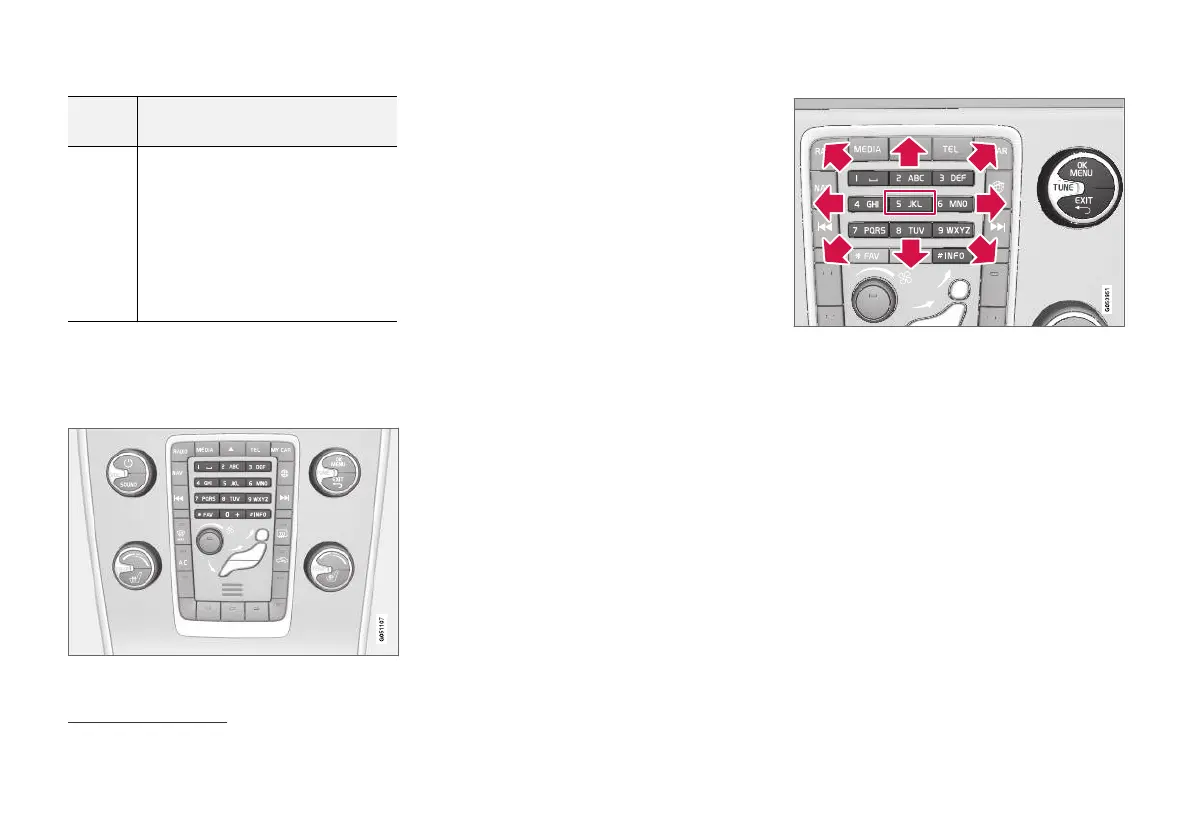
Moving the cursor on a web page.
The cursor can be moved freely across the page
with the keypad in the centre console. Press the
INFO button in order to change to the menu bar
at the top of the page.
The pop-up menu is accessed with button num-
ber 5 in the centre console. Alternatively, move
the cursor to a non-clickable area and press OK/
MENU.
Functions
Available functions are accessed via pop-up
menu button number 5 in the centre console.
Alternatively, move the cursor to a non-clickable
area and press OK/MENU.
•
Back - Backs out to the previous page.
•
Forward - If you have gone back out it is
possible to go forward to the page again.
31
The character for each button may vary depending on market/country/language.



 To Next Page