01 Quick Guide
Quick start
01
8
Activating the system
The car's electrical system must first be acti-
vated:
1. Press the remote control key into the igni-
tion switch and activate key position I (see
the owner's manual for the car).
2. If the navigation system does not start
within a few seconds - press the centre
console's NAV button.
Disclaimer
When the navigation system is started the dis-
play screen shows a text which must be con-
firmed:
•
Press the OK button.
For more information, see page 14.
Controls
Volvo's GPS navigator can be operated in sev-
eral ways:
•
With the steering wheel's right-hand key-
pad
•
With the controls in the centre console
•
With a remote control
•
With voice recognition.
For a functional description, see page 19.
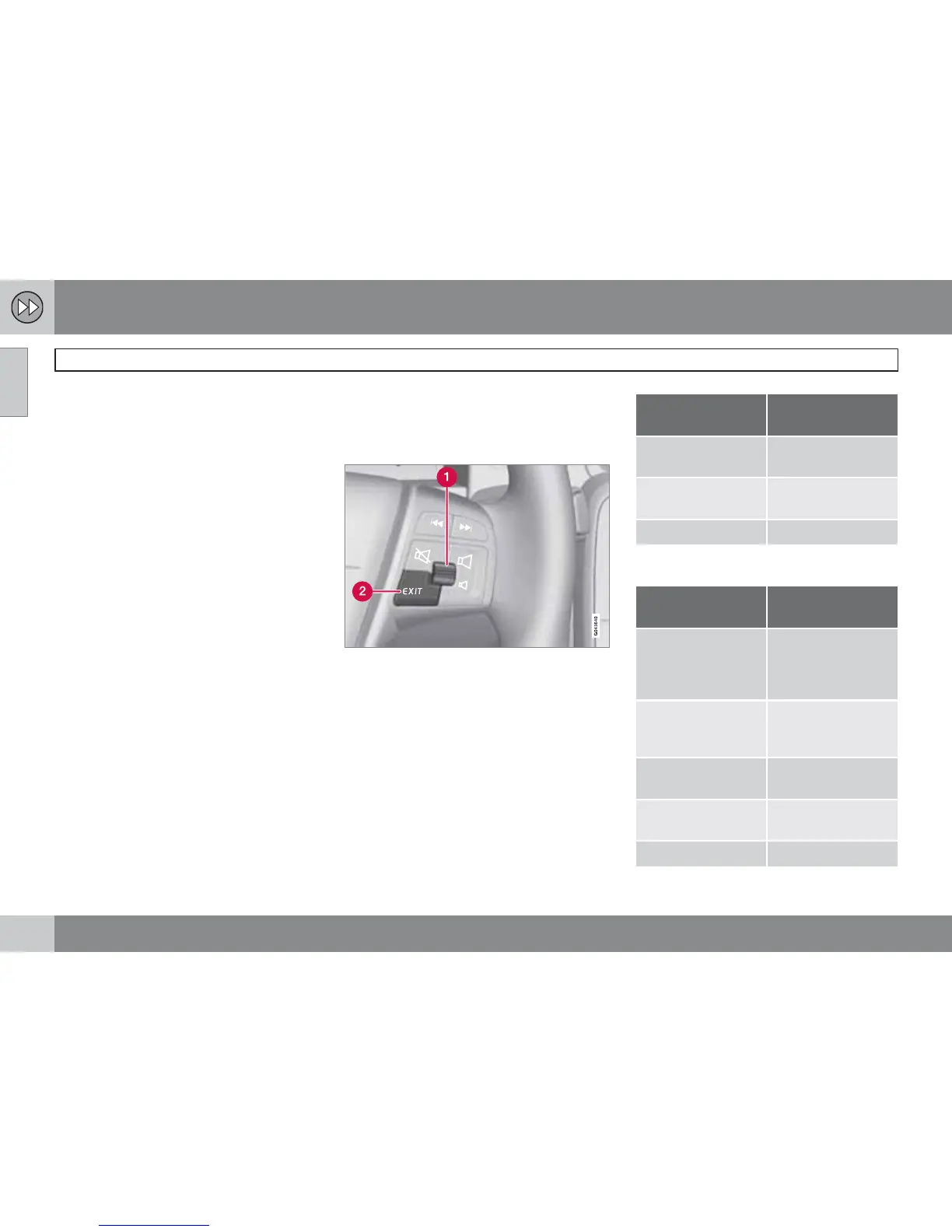
Main commands
The steering wheel keypad is used in the fol-
lowing two examples to give guidance to an
Address or Facility.
•
Scroll/select in the menus with the Thumb-
wheel (1).
•
Activate selections with a brief press on
the Thumbwheel (abbreviated in the fol-
lowing example with "+ OK".
•
Go back in menus and/or undo using
EXIT (2).
Centre console controls
If the centre console keypad is used instead
of the steering wheel keypad then the following
applies:
Keypad in steer-
ing wheel
Centre console
Turn the Thumb-
wheel
Turn TUNE
Press the Thumb-
wheel
Press OK
Press EXIT Press EXIT
Guidance to a street address
Display screen/
menu
Action
If the display screen
does not show a
map image, proceed
as follows:
Press the centre
console button
NAV.
Map
Press NAV to dis-
play the "Shortcuts"
menu.
Shortcut menu, see
page 32.
Select Set address
+ OK.
Set destination Select Address +
OK.
Address: Select City: + OK.



 To Next Page