03 Planning your trip
Specify a destination
03
``
41
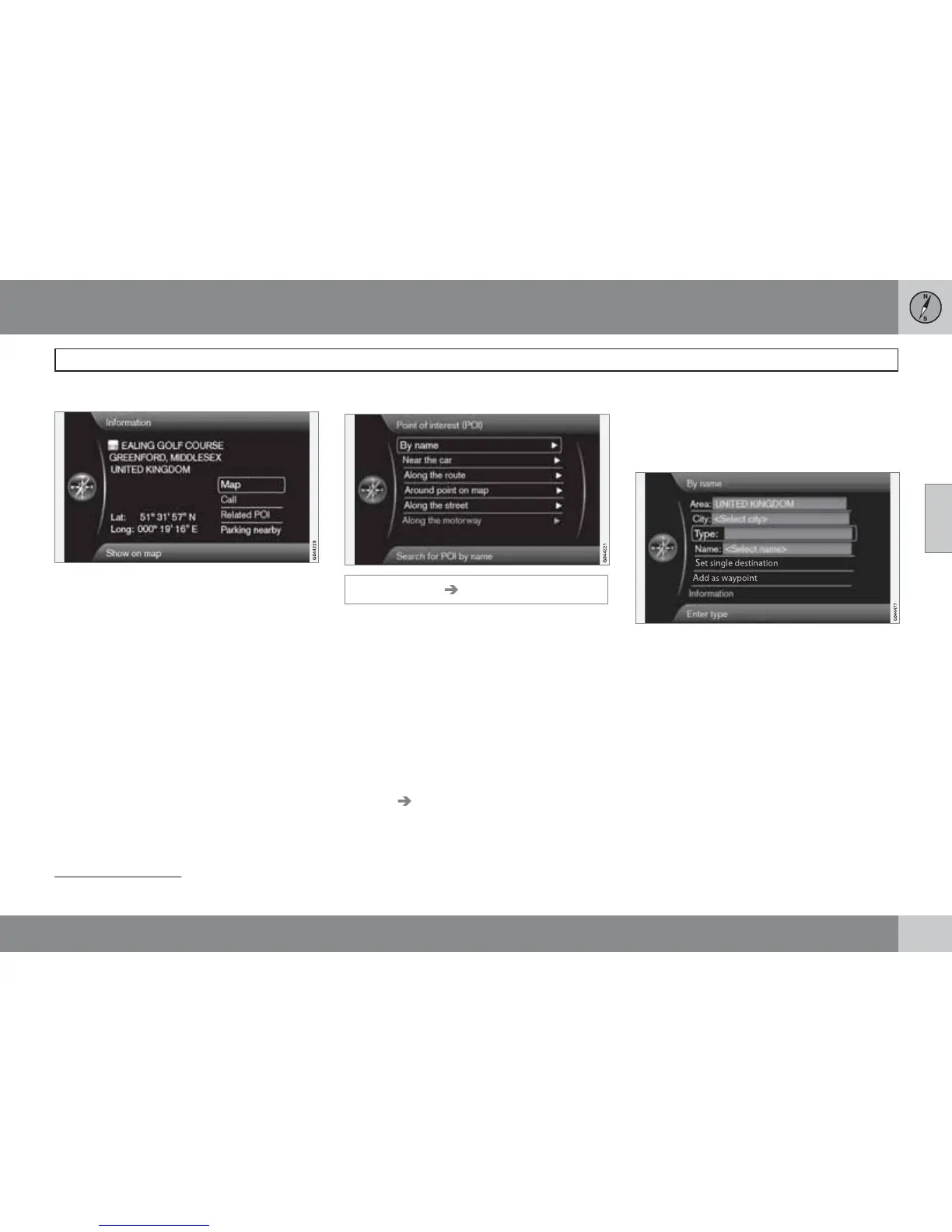
More about Information
Select an address/street + OK - then the fol-
lowing can be selected:
•
Map - Shows where on the map the loca-
tion can be found - sometimes with addi-
tional information.
•
Call
1
- Calls the facility if a telephone num-
ber is given.
•
Related POI - Lists the facilities associ-
ated with the current/selected facility.
•
Parking nearby - Lists parking where
appropriate around the selected location,
with distance.
Facilities
Set destination Point of interest (POI)
The system contains a large number of search-
able facilities which can be specified as desti-
nations. The list of desired facilities can be
shortened by specifying which facility/facilities
the current search relates to:
•
Select Type: and specify which facilities
should be covered by the search (it is the
same approach as described on page
54).
To select which facilities should be perma-
nently visible on the map, go to the menu
Settings
POI on map - see page 54.
All searches are made in the manner described
in the previous section City or street:
1.
Specify
Area:/City:/Type:/Name:.
2.
Then select
Set single destination, Add
as waypoint
or Information + OK.
With name
By name
In addition to searching with main group, such
as Restaurant, the company name of the
facility can also be used, e.g. "Peppes Bod-
ega". The procedure is the same as when
searching with Address, see page 40.
When searching with
Name: with e.g. "London
Airport", all combinations with "London" will be
shown when "Lo" is entered. The more letters
you input the more specific the reply.
A search with "Lo" also produces reply alter-
natives such as "Restaurant Lou Trivalou" for
1
Requires connected mobile phone.



 To Next Page