04 Traffic information
Handling traffic problems
04
66
To avoid traffic problems
Traffic problems ahead
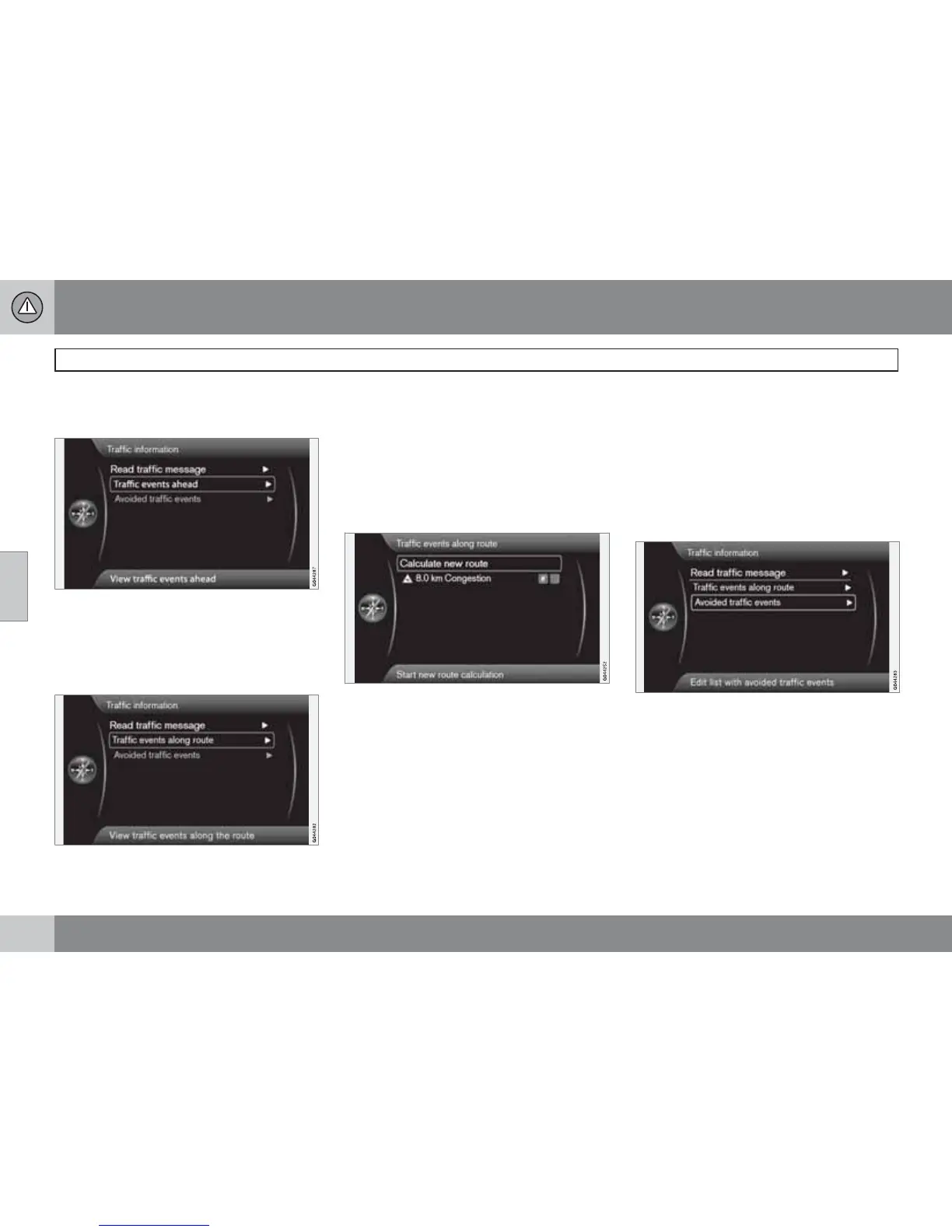
Menu bar 2 without itinerary added.
Traffic events ahead
Press OK on Traffic events ahead to list the
current traffic problems.
Traffic problems along the route
Menu bar 2 with itinerary added.
Traffic events on route
This is the same menu bar as in the previous
section, but with an activated itinerary - the
menu bar now instead reads
Traffic events on
route
. Here the system can be made to guide
past the traffic disruption using a different
route.
Press OK on the selected menu bar to list the
traffic problems along the route:
List with 1 disruption on the itinerary's route.
The driver can avoid traffic problems by allow-
ing the system to determine a different route.
Proceed as follows:
1. Select/highlight the traffic obstacle to be
avoided + OK - the traffic problem is
ticked.
2. If several obstacles need to be avoided -
tick these too. A maximum of 15 can be
selected.
3.
Then select
Calculate new route + OK.
The system then calculates a route that leads
past the ticked traffic disruptions.
To obtain detailed information about a listed
traffic problem:
•
Select/highlight a traffic problem +
# INFO - information about the traffic prob-
lem is shown.
Avoided traffic problems
Avoided traffic events
Ticked traffic problems from the previous sec-
tion are listed here.



 To Next Page