04 Traffic information
Reading information
04
64
Message
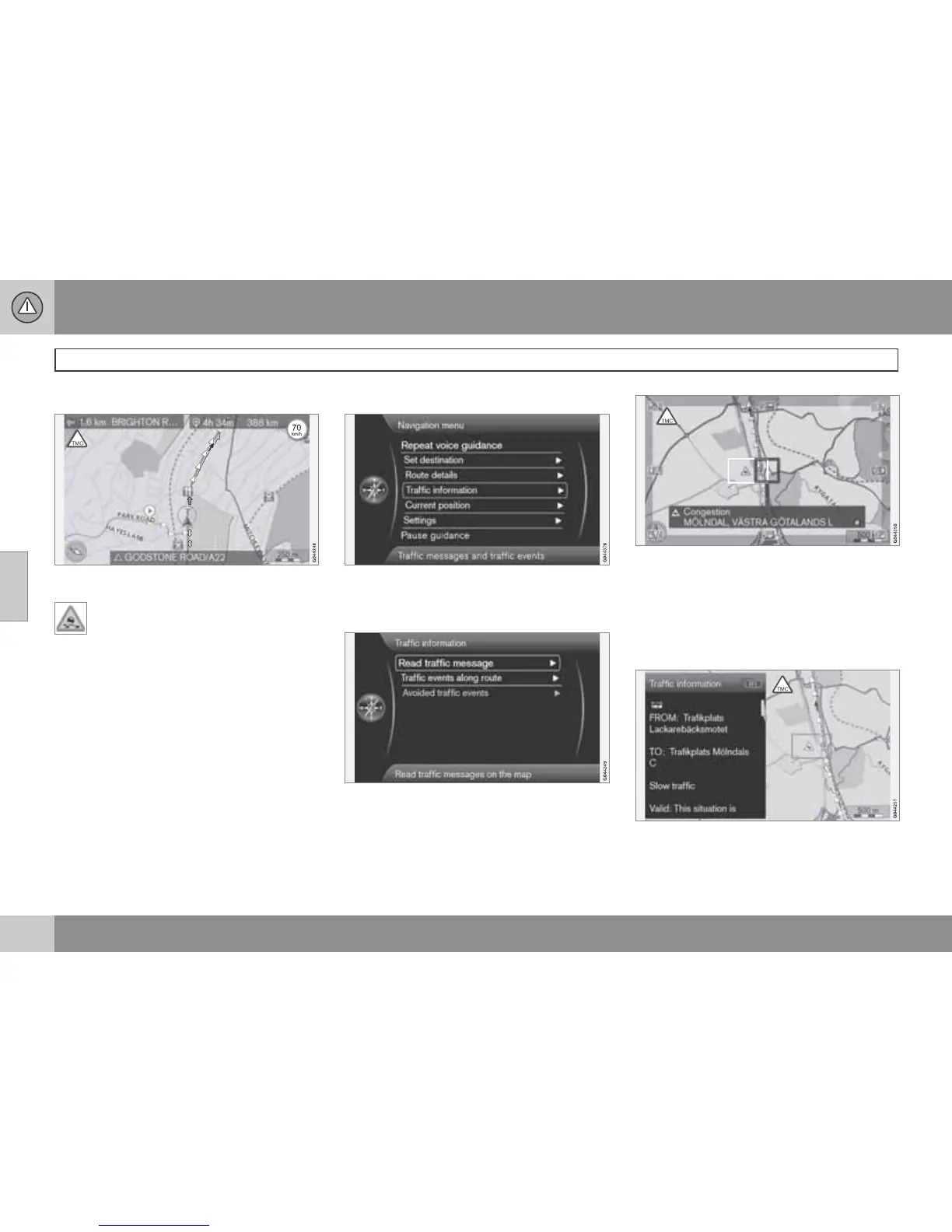
Examples of, with arrows, selected traffic prob-
lems and their extent.
When the crosshair is placed over a
traffic problem (indicated by an arrow
along the road) you'll see a flashing
frame with a traffic disruption symbol (e.g. slip-
pery road) on the map.
To take advantage of the symbol's traffic infor-
mation:
•
Press OK and select Traffic information
+ OK.
Traffic information
Main menu.
Traffic information
Read traffic message
Read traffic message
With the cursor on Read traffic message +
OK the following view is shown:
1. Scroll the crosshair to the traffic incident
(coloured line/arrow parallel to the affected
road section) about which information is
required - a road sign with frame starts to
flash out on the map.
2.
Press OK - Following which, information
like this is shown:
Detailed information on the traffic problem is
linked to the symbol, and to the extent that



 To Next Page