SOUND, MEDIA AND INTERNET
* Option/accessory.
524
•
Changing radio band and radio station
(p. 524)
•
Setting radio favourites (p. 525)
•
Settings for radio (p. 526)
•
Voice control of radio and media (p. 142)
Changing radio band and radio
station
There are instructions here for changing the
radio band, the list in the radio band and the
radio station in the selected list.
Changing radio band
Swipe to show the app view in the centre display
and select the preferred radio band (e.g.
FM), or
open the driver display's app menu using the
right-hand keypad on the steering wheel and
make your selection from there.
Changing lists within the frequency
band
1.
Press
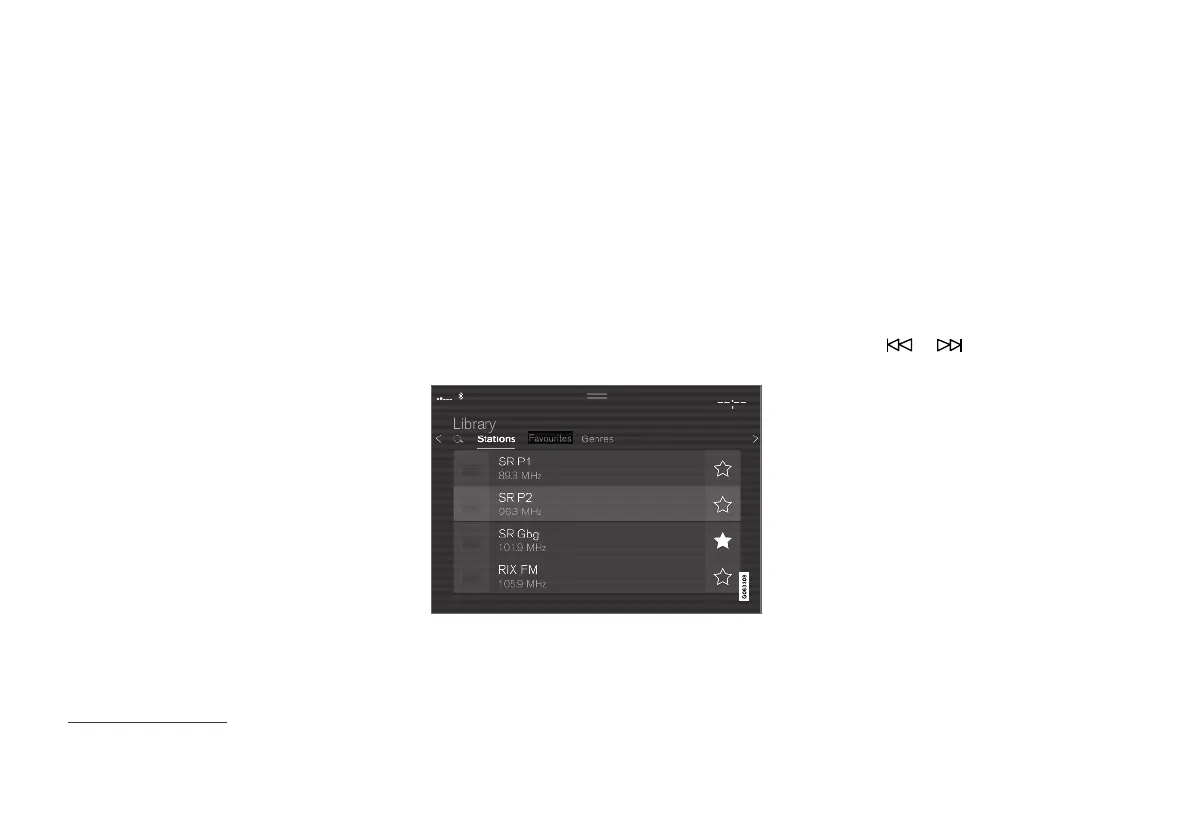
Library.
2.
Select playback from
Stations, Favourites,
Genres or Ensembles
2
.
3. Tap on the desired station from the list.
Favourites - only plays back selected favourite
channels.
Genres — only plays back channels broadcast-
ing the selected genre/programme type, e.g. pop
or classical.
Changing stations within the selected
list
–
Press on or under the centre dis-
play or the steering wheel's right-hand key-
pad.
> The highlight moves up or down one
place in the selected playlist.
You can also change radio station in the selected
list via the centre display.
Related information
•
Radio (p. 523)
•
Searching for radio stations (p. 525)
•
Voice control of radio and media (p. 142)
•
Setting radio favourites (p. 525)
•
Settings for radio (p. 526)
•
Application menu in driver display (p. 98)
2
Only applies to digital radio (DAB*).



 To Next Page