SOUND, MEDIA AND INTERNET
}}
* Option/accessory.
531
Related information
•
Handling the application menu in the driver
display (p. 99)
•
Radio (p. 523)
•
Controlling and changing media (p. 531)
•
Connecting a device via USB port (p. 536)
•
Connecting a device via Bluetooth
®
(p. 535)
•
Downloading apps (p. 521)
•
Internet-connected car* (p. 554)
•
Video (p. 534)
•
Apple
®
CarPlay
®
* (p. 540)
•
Android Auto* (p. 543)
•
Voice control of radio and media (p. 142)
•
Compatible media formats (p. 537)
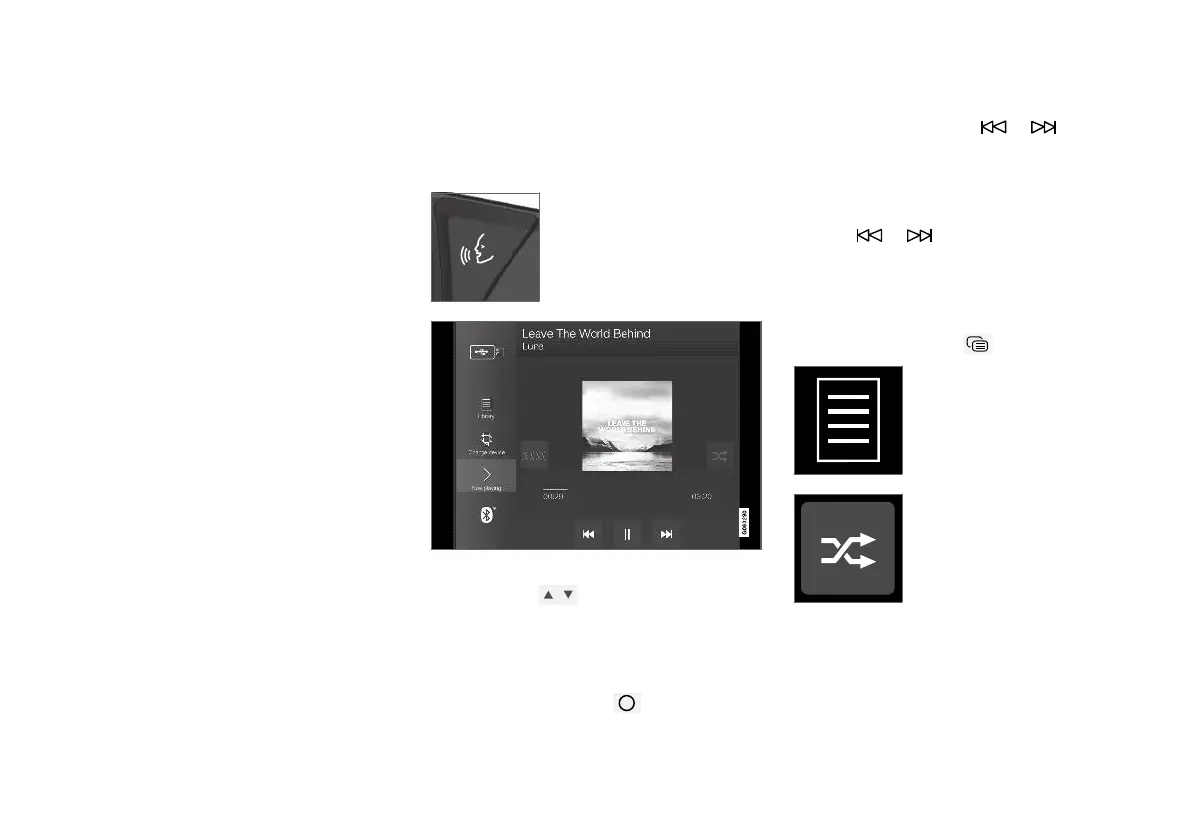
Controlling and changing media
The playback of media can be controlled with
voice control, steering wheel keypad or the cen-
tre display.
The media player can be oper-
ated by voice recognition, from
the steering wheel keypad or
the centre display.
Volume - turn the control knob under the centre
display or press
on the steering wheel's
right-hand keypad in order to increase or
decrease the volume.
Play/pause - tap on the image belonging to the
song being played back, the physical button
under the centre display or
on the steering
wheel's right-hand keypad.
Change track/song - tap on the desired track in
the centre display, press on
or under
the centre display or on the steering wheel's
right-hand keypad.
Fast forward/move in time - tap on the time axis
in the centre display and drag sideways, or press
and hold
or under the centre display or
on the steering wheel's right-hand keypad.
Changing media - select from previous sources
in the app, in the app view, press on the desired
app or select with the steering wheel's right-hand
keypad via the app menu
.
Library - tap on the button to
play back from the library.
Shuffle - tap on the button to
shuffle the playback order.



 To Next Page