
 Need help?
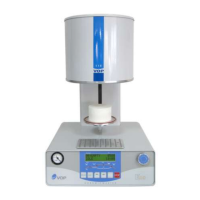
Do you have a question about the VOP CeramicMaster E10 and is the answer not in the manual?
Procedure for carefully removing unit modules from packaging.
Steps for connecting the vacuum pump, power supply, and vacuum hose.
Method for calibrating furnace temperature within +/- 50°C.
Explanation of the function of each button on the control panel.
Details on the information displayed on the furnace's 2-line LCD screen.
Guide to changing parameter values and entering programming mode.
Detailed explanation of each programmable parameter and its range.
Instructions for uploading programs from a PC to the Ceramic Master E10.
Instructions for downloading programs from the Ceramic Master E10 to a PC.
Procedure for transferring log files from the furnace to a PC.
Steps for updating the furnace's firmware using a PC.
 General
| Brand | VOP |
|---|---|
| Model | CeramicMaster E10 |
| Category | Dental equipment |
| Language | English |

 To Next Page
