Ceramic Master E10 en v2 7
5. PRACTICAL USE
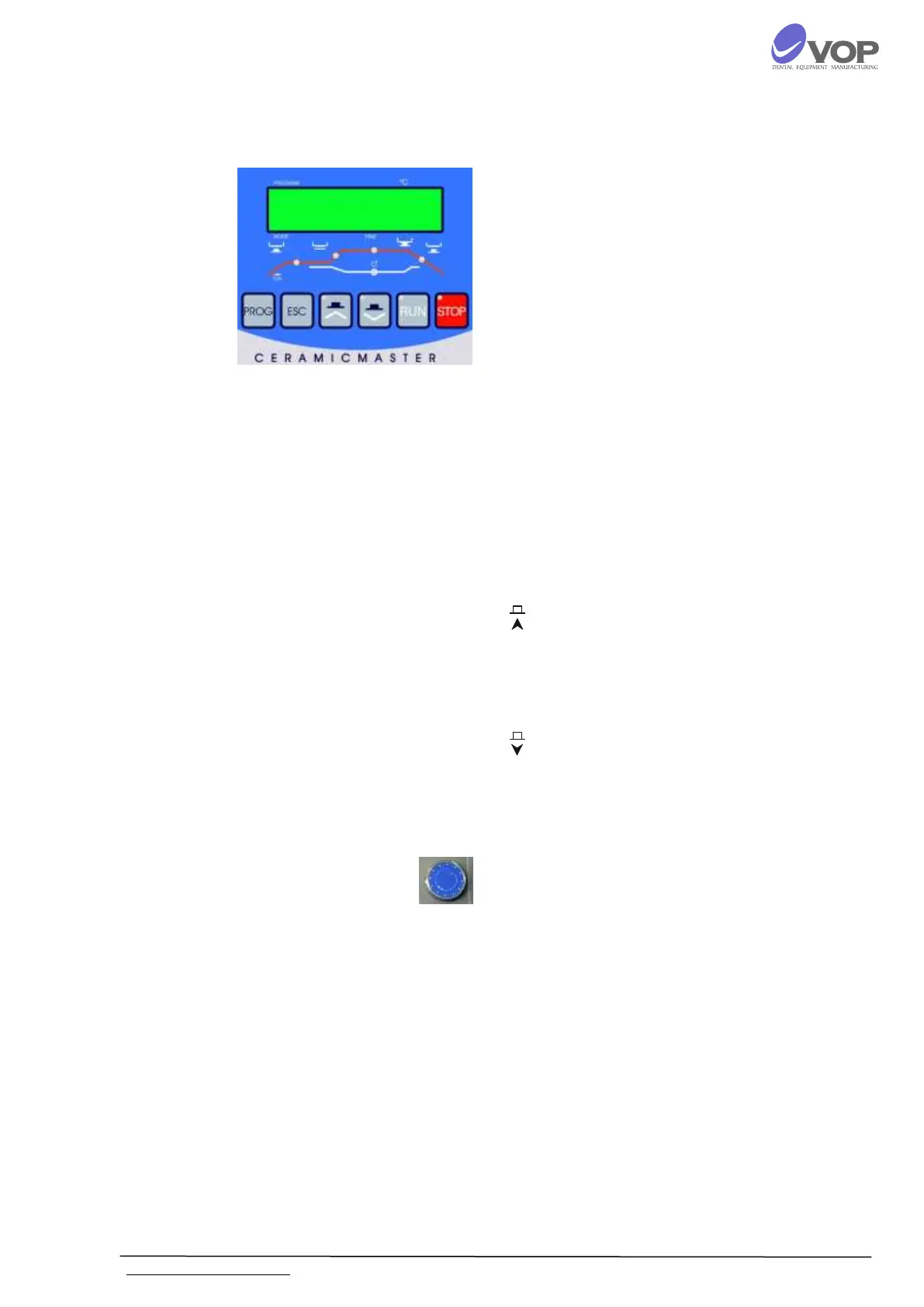
DESCRIPTION OF BUTTONS
PROG - puts the number of the program which is to be
performed into programming mode.
ESC - cancels all changes.
RUN
starts the chosen program when the indicator of
the button flashes in green;
permits the change of the chosen parameter
value in a programming mode.
STOP
stops the program at any moment;
stops the movement of the table at any position;
cancels all changes of the chosen parameter in a
programming mode;
recovers the normal working mode of the
furnace after error.
- closes manually the furnace. The button can
increase/decrease the chosen parameter value with 100
by pressing it while turning the multi functional rotary
knob.
- opens manually the furnace . The button can
increase/decrease the chosen parameter value with 10
by pressing it while turning the multi functional rotary
knob.
MFRK - Multi Functional Rotary Knob. It is used for
choosing of programs or parameters and set the values.


 To Next Page