VA41620/VA41630 Evaluation Board User’s Manual
V1.0
30
5.1.6 Download and debug
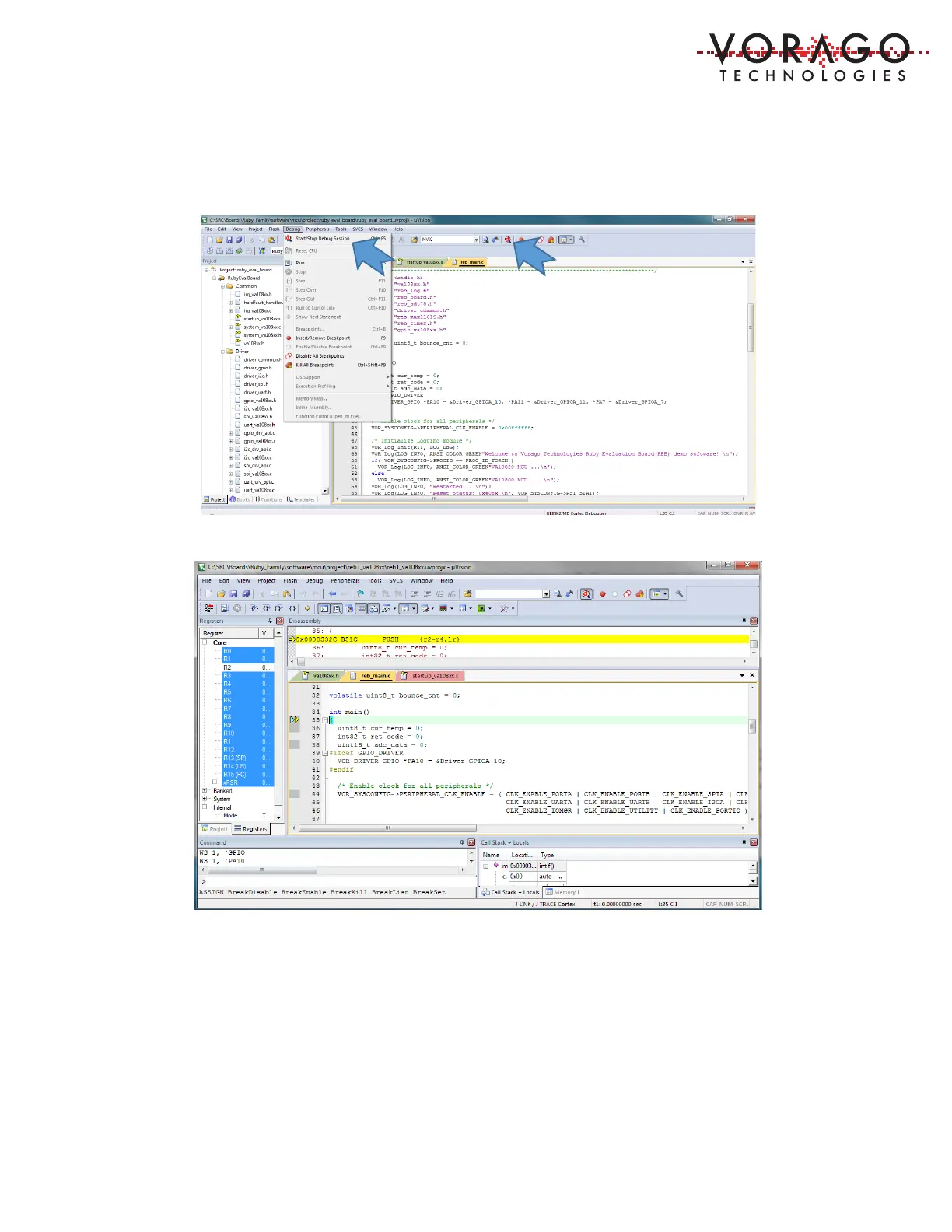
To enter a debug session, use the Debug pull-down menu and choose “Start/Stop Debug
Session”. Alternatively, there is an icon to perform the same task.
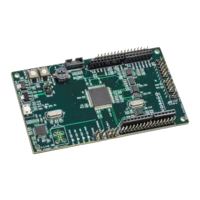
Once the IDE has entered debug mode, the screen appearance will resemble the following
image.
Many options are available under the debug menu as shown here. Most of these functions
have buttons on the menu bar for quick point and click access. If the demonstration program
has been loaded, the Run button can be pressed to begin code execution. LED D2 should begin
to blink.


 To Next Page