VA41620/VA41630 Evaluation Board User’s Manual
V1.0
23
is no longer active. When this occurs, it is necessary to exit the RTT Viewer and restart it, or to
re-Connect to the RTT Viewer (File->Connect).
4.1.3 UART output
This project also directs information to a UART port with TX on PORTG[0] and RX on PORTG[1].
A virtual serial communication cable such as FTDI “TTL-232R-3V3-WE” or SparkFun USB to
RS232-TTL (https://www.sparkfun.com/products/12731) can be used to connect a PC to the
board. PORTG[0] and PORTG[1] are available on connector J7 of the PEB1 board.
5 Starting an IDE and building a program
Depending upon which IDE you decide to use, the steps to run a program will be different. The
following three sections provide step by step instructions for starting the IDE, downloading
code and running a program on the VA416x0.
5.1 Keil IDE –
5.1.1 Opening a project
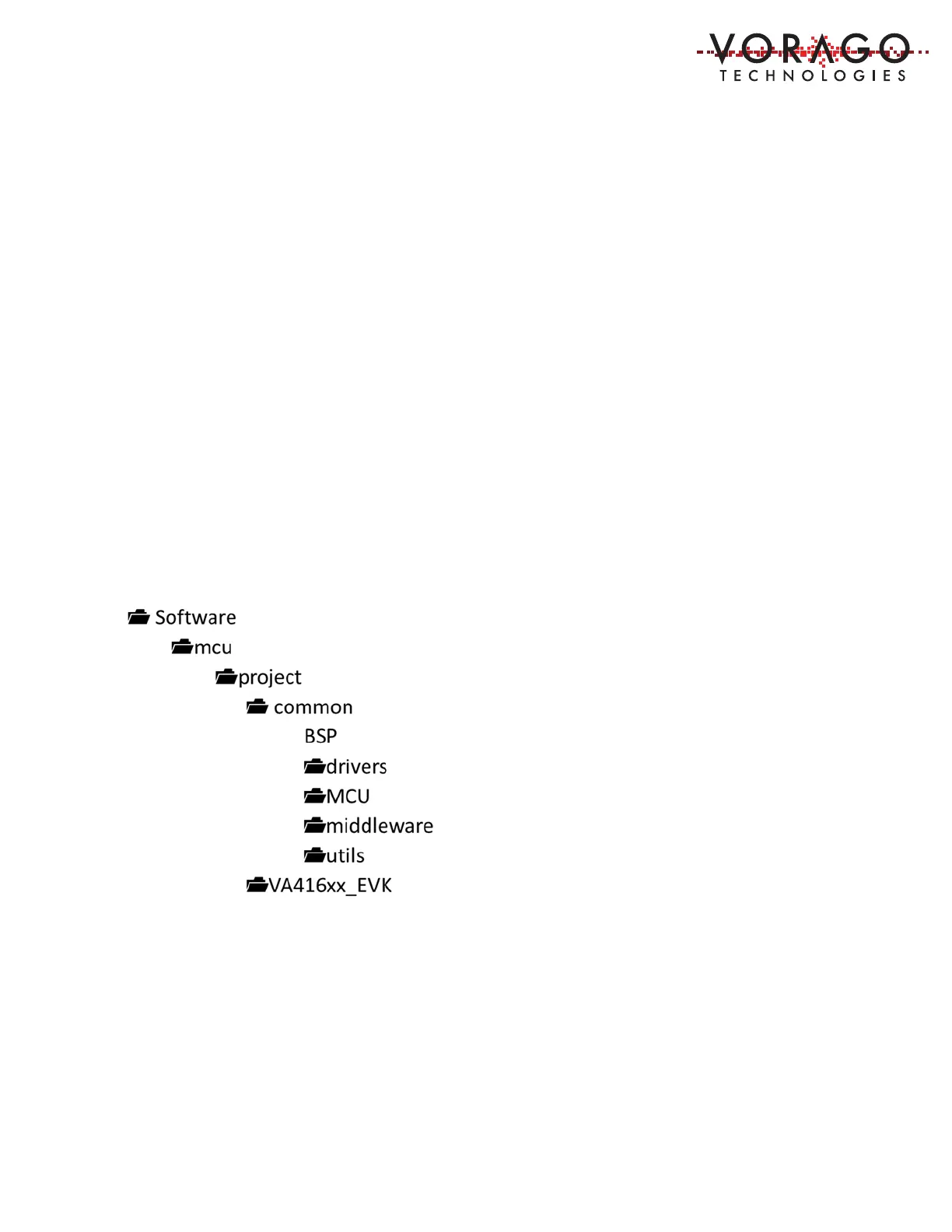
The download from VORAGO has a file structure as outlined here.
A populated Keil project is available in the ../software/mcu/project/ VA416xx_EVK/MDK-ARM
folder as shown here.


 To Next Page