VA41620/VA41630 Evaluation Board User’s Manual
V1.0
32
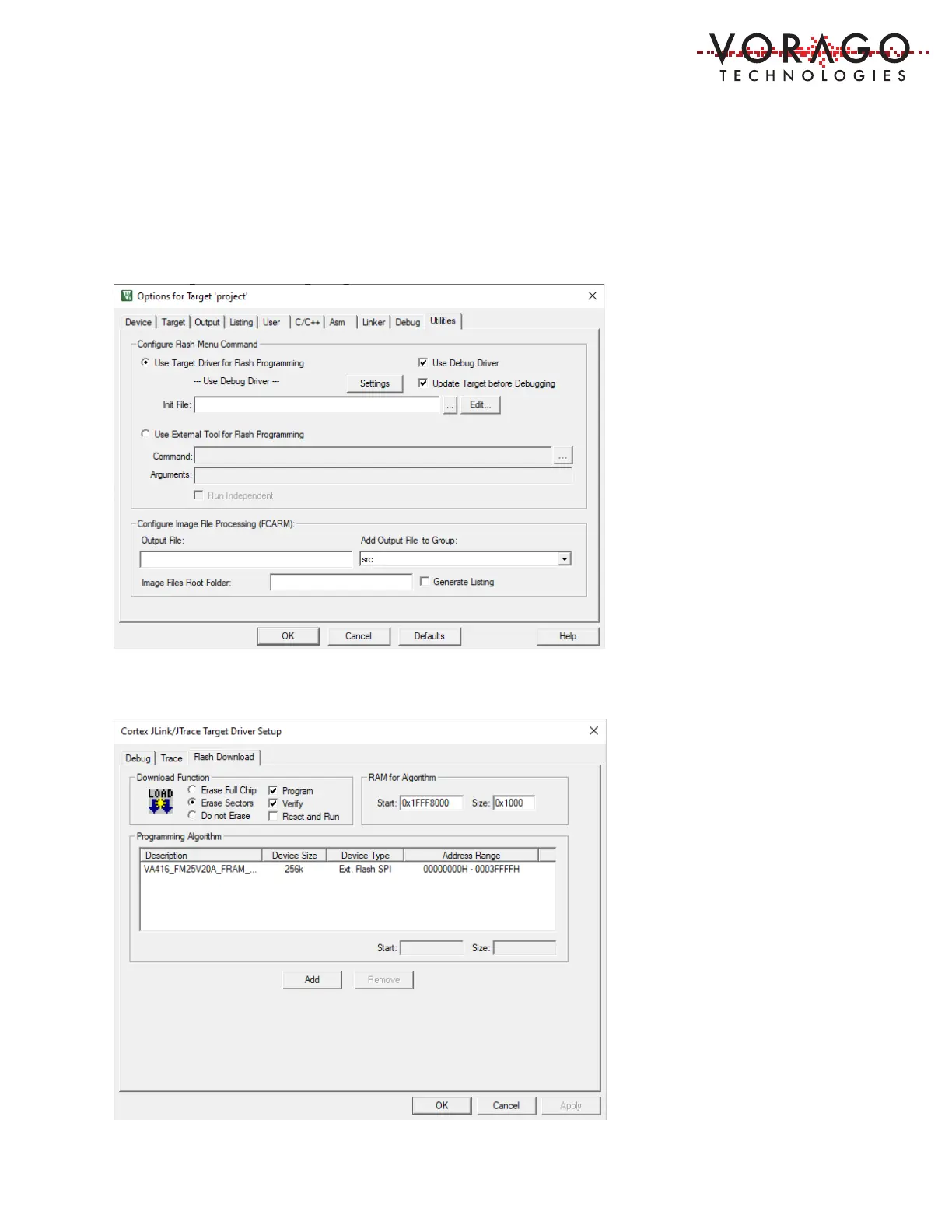
5.2.1 Utility Options
Before programming the FRAM that boots the VA416xx, the Utilities options menu must be set
up. First click on the Use Target Driver for Flash Programming button. Then click on the
Settings button. Under the programming Algorithm section, click on the Add button, then
select the “VA416_FM25V20A_FRAM_256KB” in the list. Click “Ok” and “Ok” to exit the
options menu.



 To Next Page