98
WWW.VORONDESIGN.COM
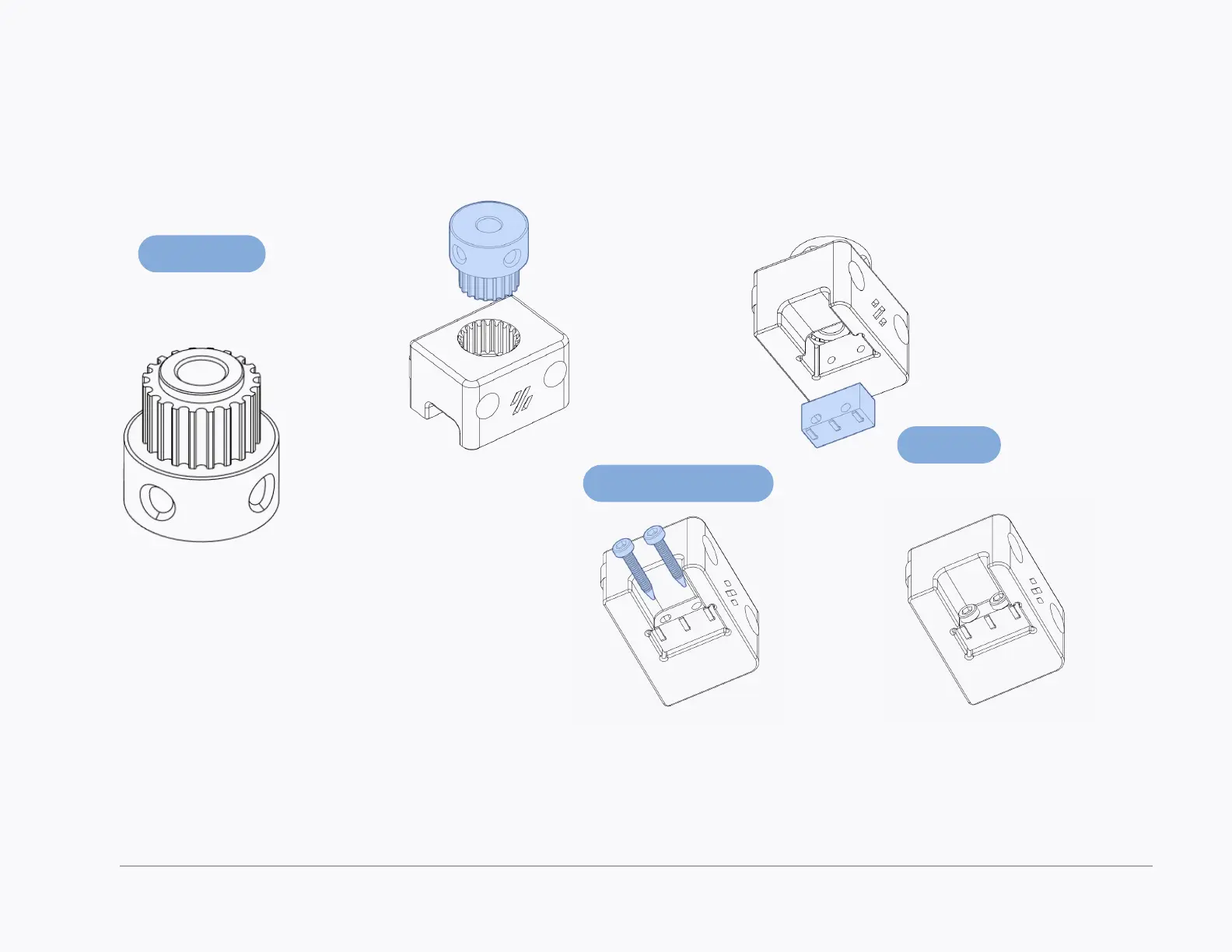
REMOVE FLANGE & GRUB SCREWS
Use a bottle opener or some pliers to
remove the top ange.
Remove the grub screws from the
pulley.
PRESS FIT
Apply the required force to fully
seat the pulley in the printed
part.
Z ENDSTOP
GT2 Pulley
Microswitch
M2x10 Self Tapping
SOLDER WIRES
Solder 100mm of wire to the
microswitch before inserting it into
the housing.



 To Next Page