15
USB & SD CARD PLAYBACK
USB PLAYBACK
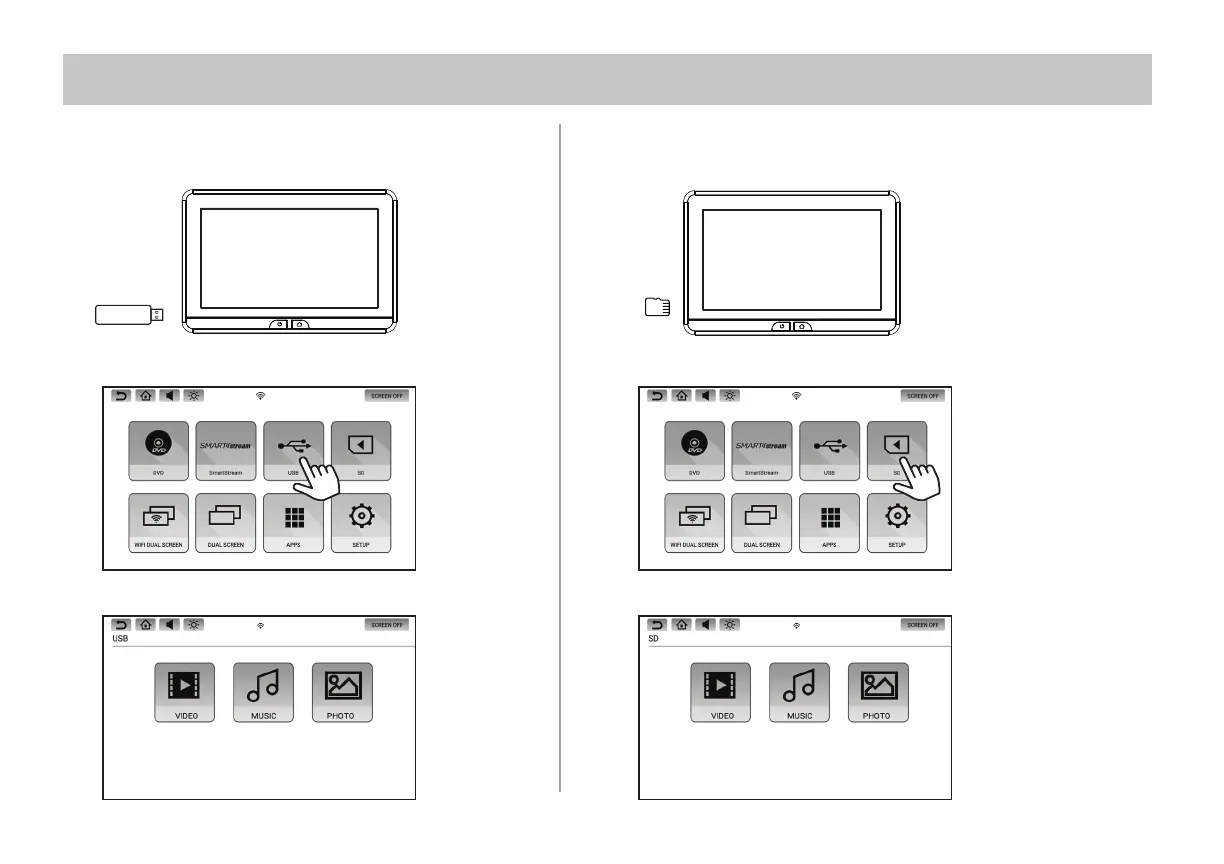
1. Insert a USB storage device into either monitor's USB port.
SD CARD PLAYBACK
1. Insert a Micro SD Card into either monitor's SD card slot.
2. Select USB source in the Main Menu.
2. Select SD source in the Main Menu.
3. Select the le type: Video, Music, or Photo.
3. Select the le type: Video, Music, or Photo.
NOTE: The USB and SD card inputs on each monitor will support a maximum storage media size of 64GB.


 To Next Page