16
WIFI DUAL SCREEN
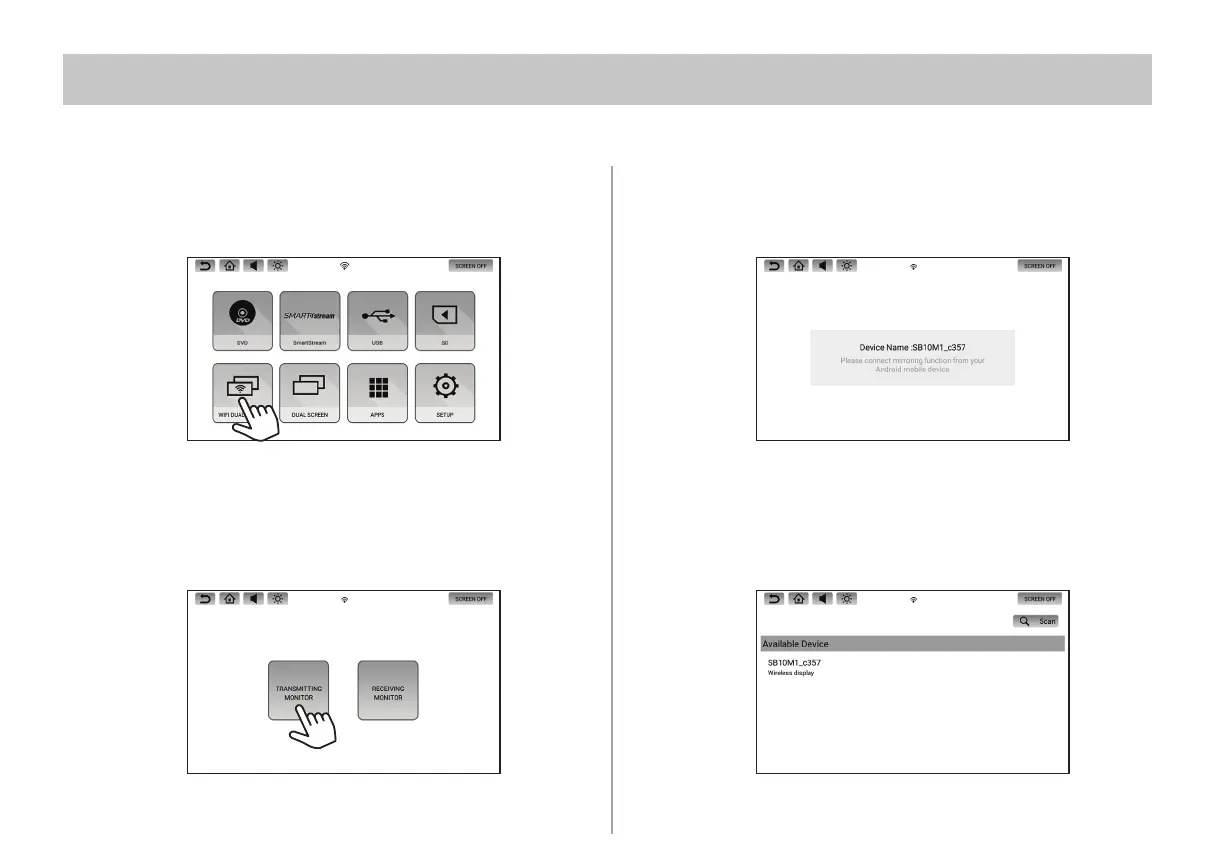
2. To setup a monitor as the Transmitting Monitor, press the Transmitting
Monitor icon. To setup a monitor as the Receiving Monitor, press the
Receiving Monitor icon.
3. The Receiving monitor will display its Device Name as shown below.
4. After a few seconds, the Receiving monitor's Device Name will be
displayed under "Available Device" on the Transmitting Monitor.
1. To setup each monitor as a Transmitting or Receiving monitor, select WIFI
Dual Screen from each monitor's main menu.
Wi-Fi Dual Screen allows you to wirelessly share content between monitors in high-resolution. Either monitor can be setup as the
Transmitting or Receiving monitor.


 To Next Page