23
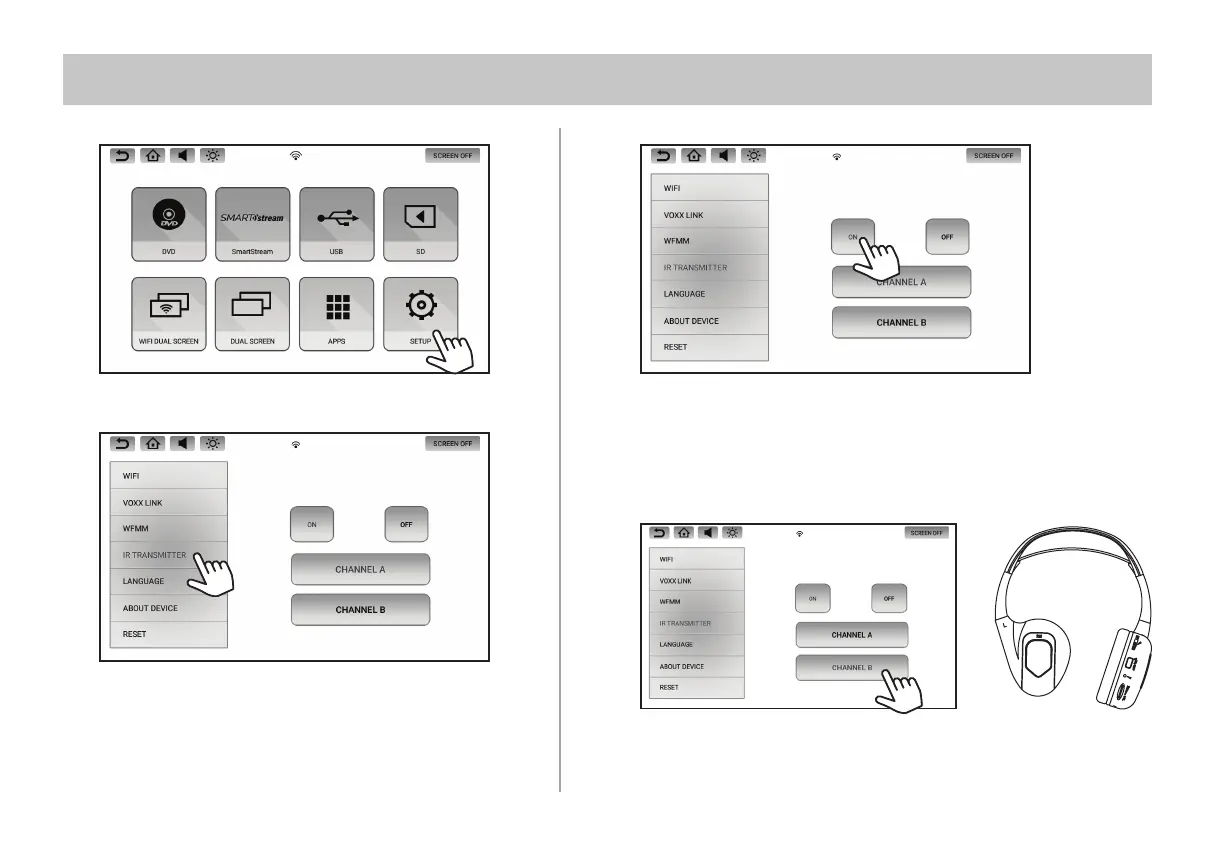
IR HEADPHONE TRANSMITTER
1. Select SETUP in the Main Menu.
2. Select IR Transmitter inside the SETUP screen.
3. Touch the ON or OFF button to turn ON or OFF the IR Transmitter.
4. Select the desired Channel (A or B) for the IR Transmitter.
It is recommended to select Channel A for one monitor and Channel B
for the other monitor.
Set the switch on your IR Headphones to channel A or B to listen to the
audio from the monitor you prefer.


 To Next Page