29
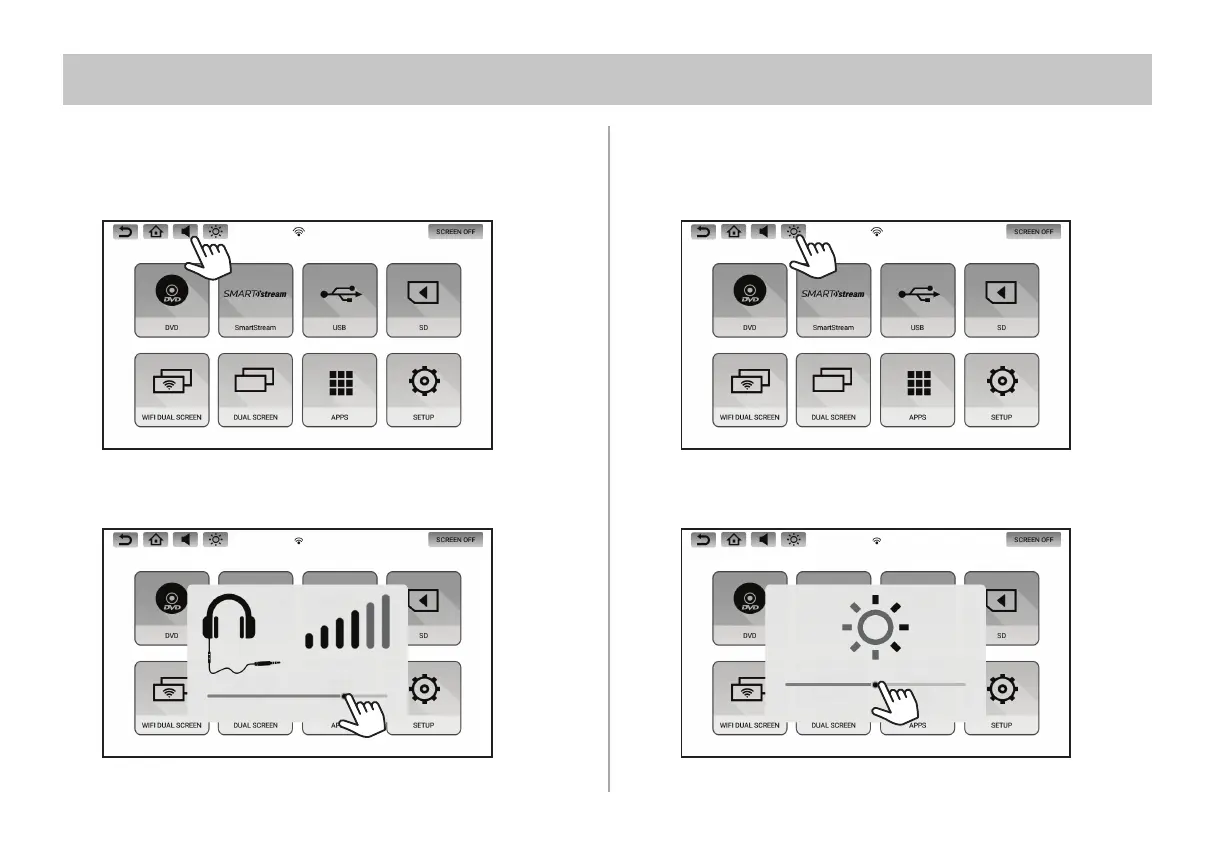
VOLUME CONTROL WIRED HEADPHONES ONLY
1. Touch the Volume Button inside the Info Bar to change the volume
settings for optional wired headphones connected to the 3.5mm
port on the side of each monitor.
2. Touch and slide the volume level indicator to the right to increase
the volume, and to the left to decrease the volume.
BRIGHTNESS CONTROL
1. Touch the Brightness Button inside the Info Bar to change the
brightness settings.
2. Touch and slide the brightness level indicator to the right to
increase the brightness, and to the left to decrease the brightness.
VOLUME CONTROL & BRIGHTNESS CONTROL


 To Next Page