8
3. SELECT
VOM74WP
Primary Func n Input Source Select
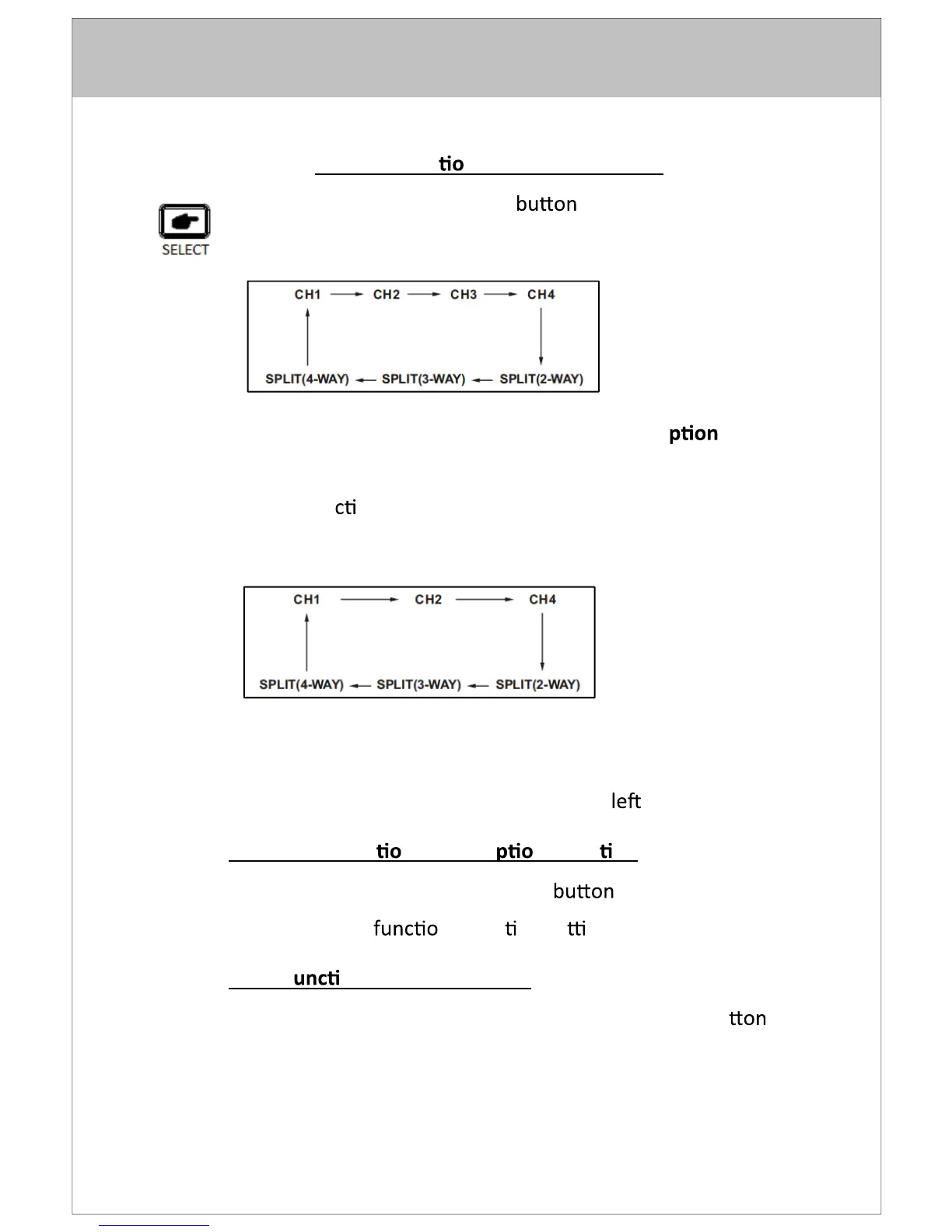
- Pressing the SELECT to sequence the source input
modes as Figure 1.
- Source input modes that are skipped through the menu
control fun
on will be skipped. (Figure below shows
sequence with CAM/INPUT 3 skipped.)
- Source ID is indicated by OSD in the top
corner of the screen.
Figure 1: Source Select Sequence (All Source O
s "On")
Figure 2: Source Select Sequence (CH3 "Skip")
Secondary Func
n Menu O n Selec on
- While in Menu mode, the SELECT is used to select
the highlighted
n or op on se ng.
Third F
on Scan Pause/Start
- While in source “SCAN” mode, pressing the select bu
will stop the scan and display the current source. “Pause”
will be displayed by OSD. Press “SELECT” key again to
resume source scan.


 To Next Page