V
X
-
100 User Manual(v01
)
11
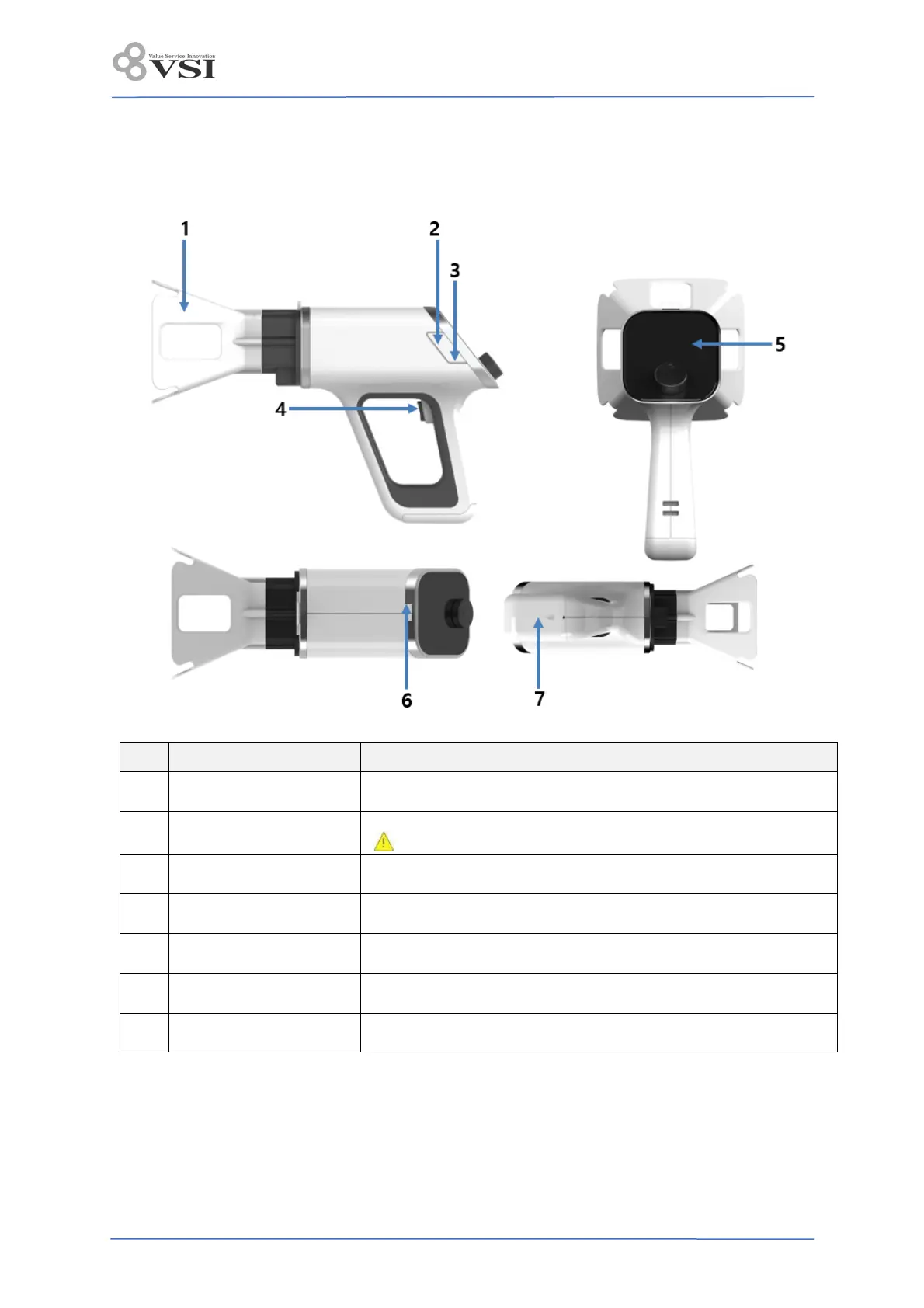
3.4 Appearance
3.4.1 Main unit
No. Name Description
1 Cone When irradiating X-rays, limit the exposure range of the beam.
2 Maintenance port
Port used to download firmware by only authorized engineer
Use onl
with IEC 60950-1 certified PC.
3 Adapter connection port Port for connecting the charging adapter
4 X-ray exposure button Button to exposure X-ray
5 Control Panel
Set exposure conditions and display battery charge and operation
status
6 Power button Power ON / OFF button
7 Battery cover Cover to open when replacing the battery


 To Next Page