V
X
-
100 User Manual(v01
)
20
4. How to use (Start-up and Shutdown procedure)
4.1 Frequently used functions
- Connecting “Charging cable”
- Checking “Charging condition”
- Mounting “Cone”
- Pushing “ON/OFF button”
- Setting “Exposure time”
- Setting “Tube voltage”
- Checking “Display LCD”
- Pushing “X-ray exposure button”
4.2 Pre-procedure
1) The operator of VX-100 must be a radiologist having received appropriate license.
2) Understand warnings, cautions and user manual.
3) Check the Charging condition of battery before use. If the battery is not charged enough, charge
the battery using AC/DC adapter provided by the manufacturer. (While charging mode, VX-100 could
not be used.)
Only the adapter provided by the manufacturer can be used.
The plug of adapter is used as the isolation means. Do not position the device so that it is
difficult to operate the disconnection device.
Disconnecting the plug of the AC/DC adapter from the wall power supply disconnects the
device from the mains.
The plug of the AC/DC adapter should not be installed in a place where it is difficult to
disadvantage the wall power.
Char
in
the device should be done outside of the patient environment.
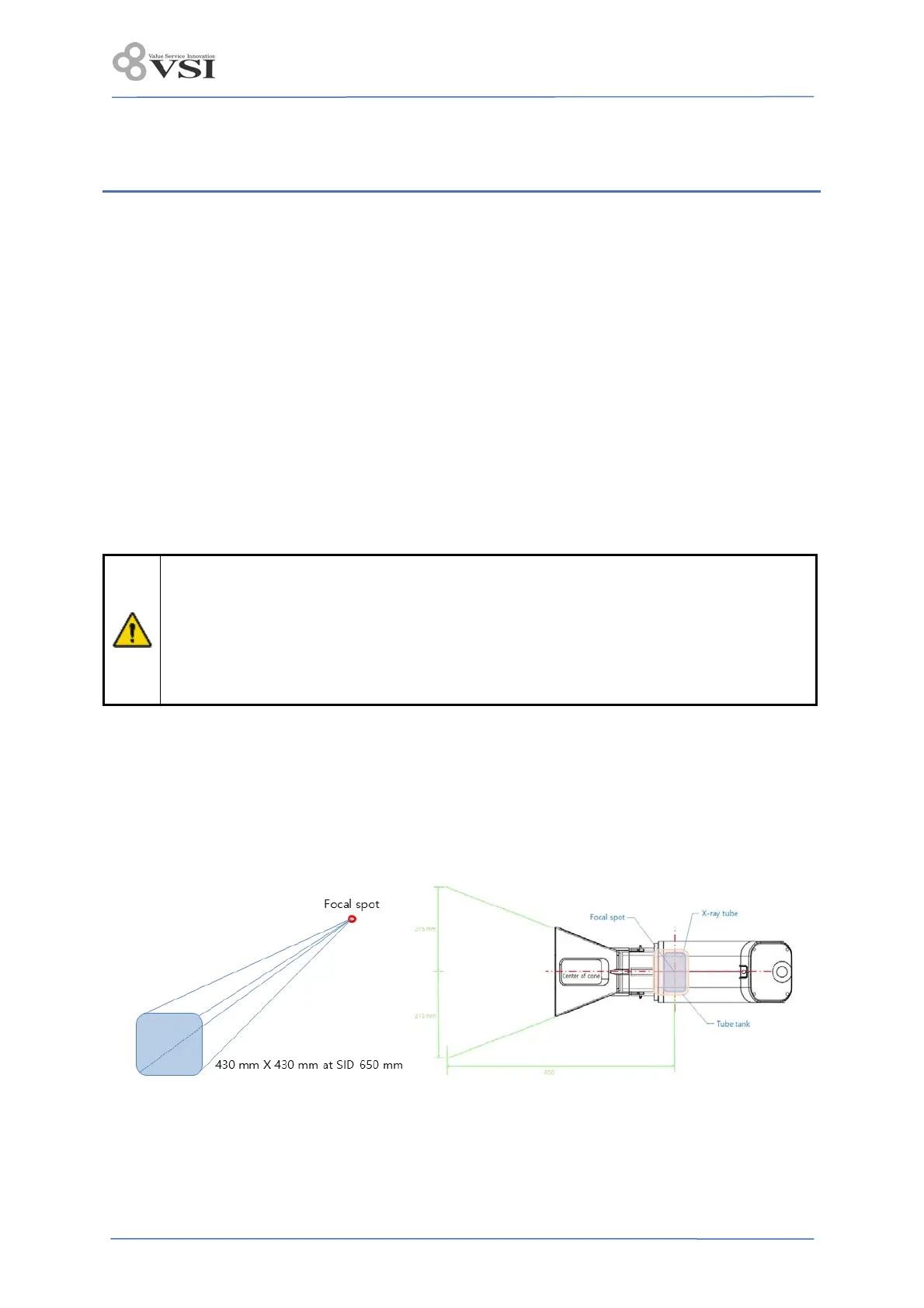
4) Establish significant zone of occupancy as following and puts individual defense tool such as apron
in this area and diagnostic area in radiography.
5) When the power button is pressed for 2 seconds, check if the control panel is activated at the same
time as the beep sounds 3 times.
-The initial display value indicates the last set value.
-If there is no Jog dial and X-ray exposure button operation for 10 minutes, the power is automatically
turned off to save battery power.
6) Check that there is no error message on the exposure time display section.


 To Next Page