V
X
-
100 User Manual(v01
)
13
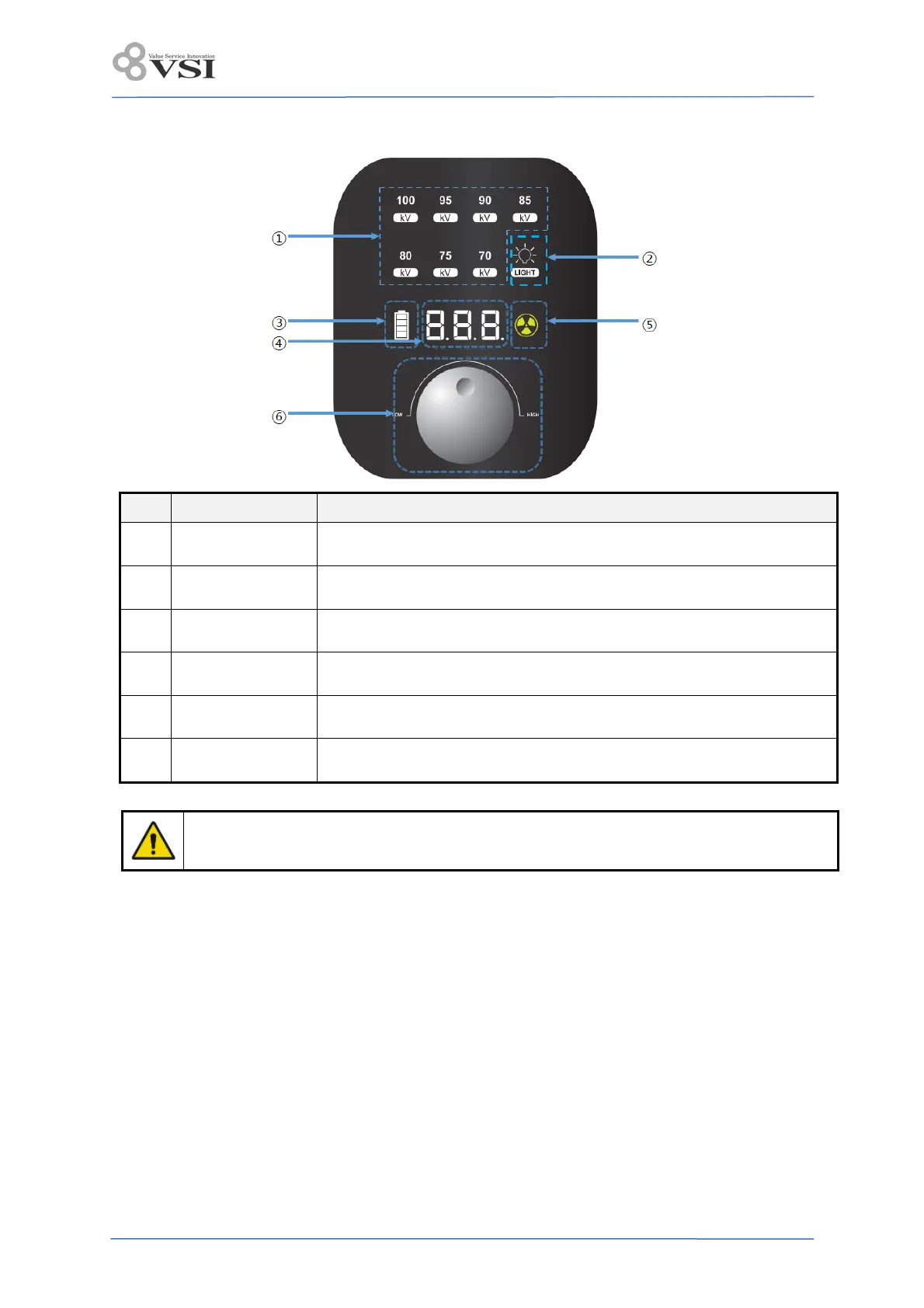
3.4.5 Control panel
No. Name Description
1
Tube voltage
indicator
Display the sett tube voltage.
2 Light field indicator
The user can turn the X-ray field lamp ON/OFF and display the ON/OFF
status.
3
Battery level
indicator
The remaining battery charge is displayed in 4 stages, and in the 1st
stage, it blinks and X-rays are not irradiated.
4
Exposure time
indicator
The time is set according to turn the jog dial.
5
X-ray exposure
indicator
It is displayed in green when it is ready, and in yellow when X-rays are
irradiated.
6 Jog dial Used to turn or press the dial used to set the exposure conditions.
Cone should not be placed in a direction other than patient body.


 To Next Page