2
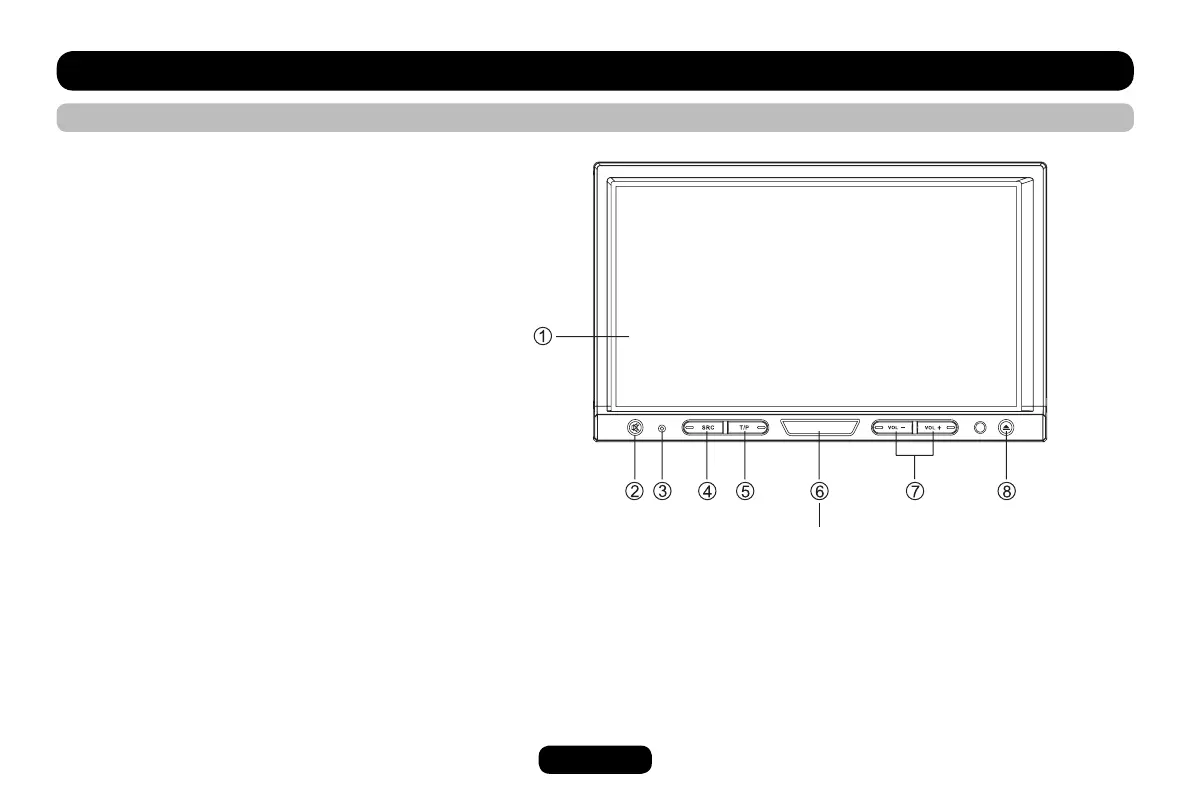
Panel Control
Press power button to turn on/off the unit.
1. Touch panel
2. - Mute
- Press more than 2 seconds to enter LCD OFF mode.
3. Reset hole
4. Source
- Radio
- Disc (when disc inserted)
- USB (when USB connected)
- SD/MMC card (when SD/MMC card inserted)
- Audio in
5. - Press to turn RDS TA on/off
- Press more than 2 seconds to enter RDS PTY mode.
6. Power on/off
7. Press to adjust volume level
8. - Open the panel / Close the panel
- Press more than 2 seconds to enter panel menu.
- Open the panel
- Eject the disc
- Close the panel
- Adjust the panel angle (TILT+/-)
POWER



 To Next Page