15
DVD Setup
Press DVD SETUP button on the remote control to display setup
menu on the screen.
Use / to select setup items:
Use / , / toselectandENTERtoconrm.
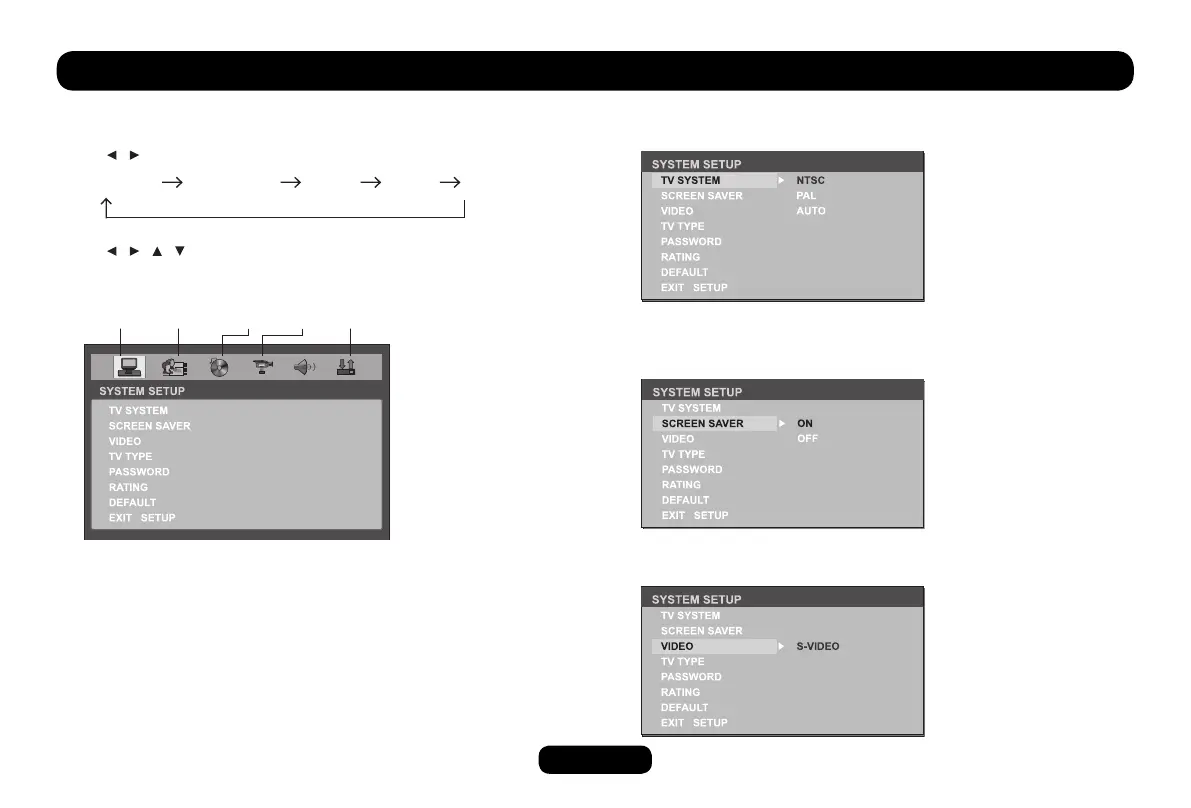
DVD System Setup
Video Output Mode
Original setting: S-VIDEO.
SYSTEM LANGUAGE AUDIO VIDEO DIGITAL
SYSTEM LANGUAGE AUDIO VIDEO DIGITAL
TV System
Select the TV system in the setting menu.
Screen Saver
The screen saver appears if disc stop last more than 3 minutes.
Original setting: ON.



 To Next Page