8
General Operation
Radio
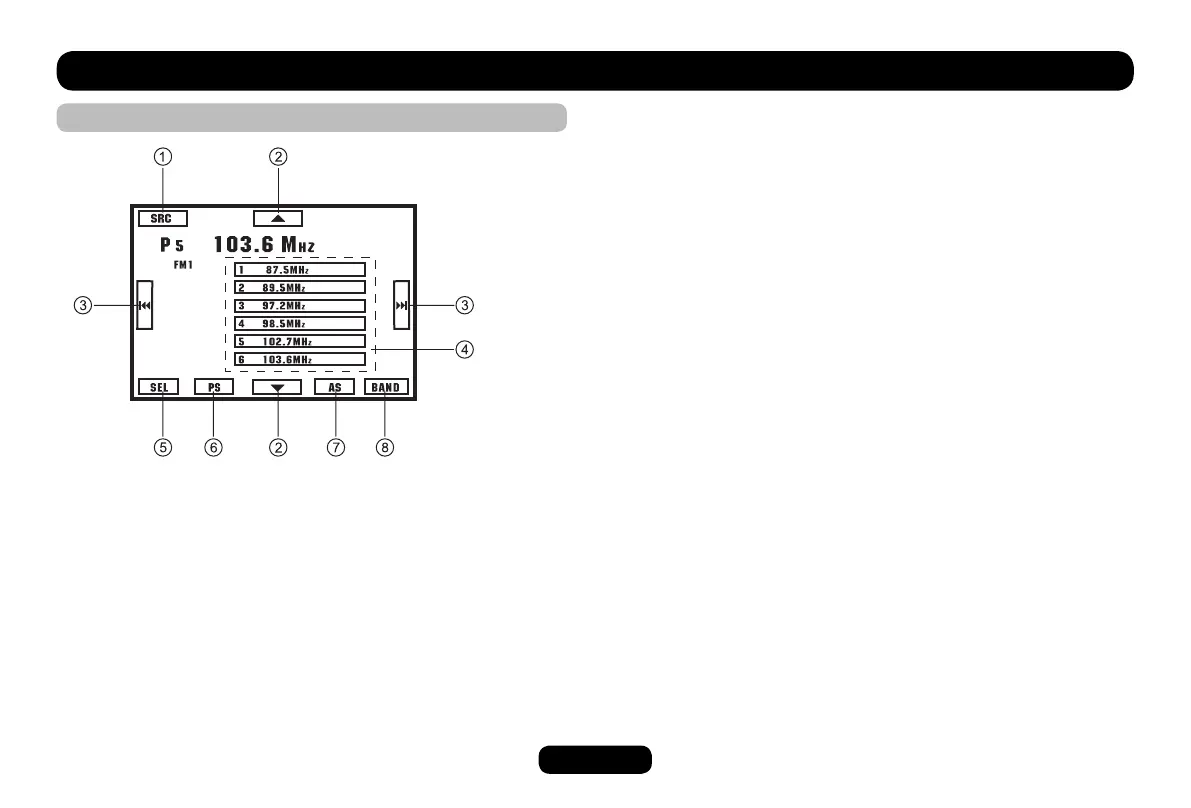
Touch to access desired function:
1. Display source menu.
2. Touch to tune manually.
3. Touch to tune automatically.
Press more than 2 seconds to tune manually.
4. Touch to select preset station.
5. Display select menu.
6. Scan preset stations.
7. Auto search and store stations.
8. Band switch:
FM1-FM2-FM3-MW1-MW2



 To Next Page