22
Installation Guide
If you are not sure howto installthis unitcorrectly, contact a
qualiedtechnician.
Installation Procedures
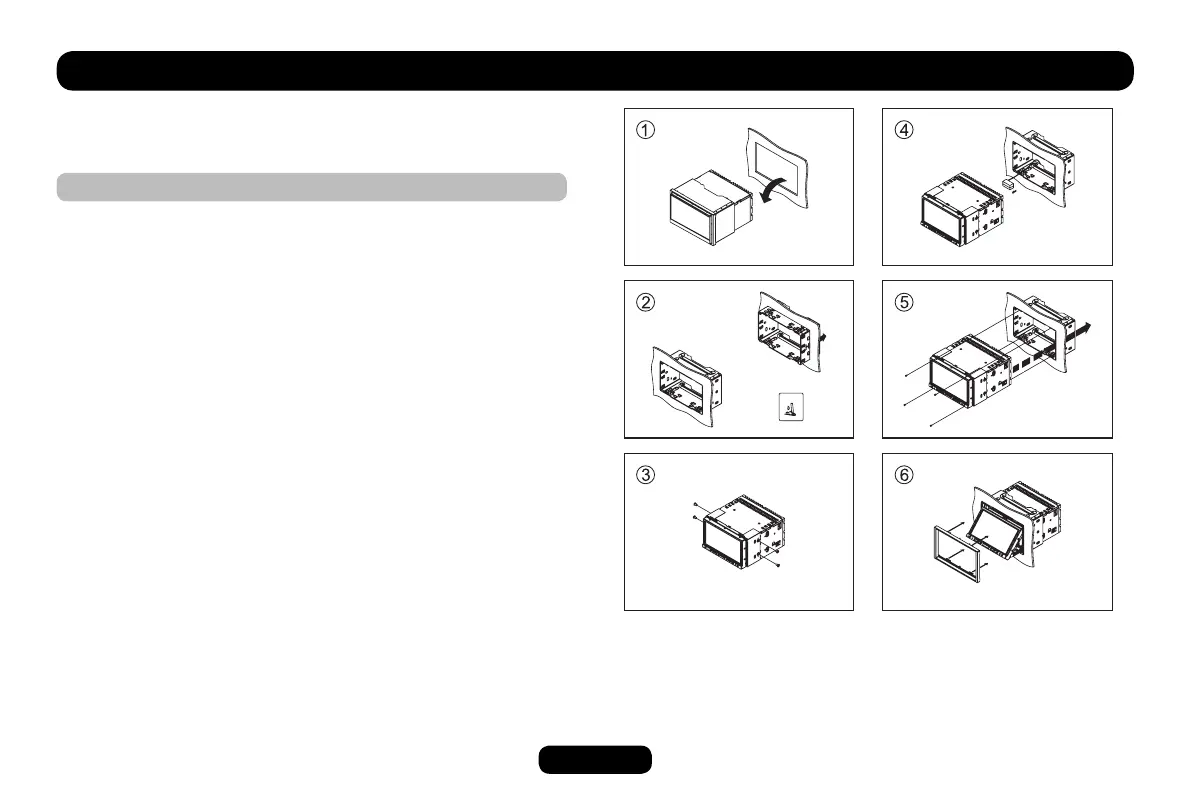
1. Remove other audio system from the car.
2. Insert mounting collar into the dashboard.
3. Attach the brackets to the main unit.
Makesuretousethesuppliedatheadscrews(M5x6mm).
4. Do the required electrical connections.
5. Install the main unit in the dashboard.
Makesuretousethesuppliedpanatheadscrews
(M2.6x5mm).
6.Turnontheunitandslidedownthepanel,thenattachthetrim
plate.



 To Next Page