Getting started and everyday use
4
Preparing your phone
Before you can begin making and taking calls, please take
a moment to prepare your phone by completing the basic
steps outlined in this section.
Within this mini-section
ò
Inserting your SIM card ............................................................. 4
Fitting and charging the battery ............................................ 5
Switching on and off ................................................................... 6
Entering a PIN code .................................................................... 7
Setting the date and time ........................................................ 7
Customising your phone .......................................................... 8
Change Language ................................................................... 8
Display contrast ....................................................................... 8
Battery saving ........................................................................... 8
Alert tones .................................................................................. 8
Vibration alert ........................................................................... 9
Auto key lock............................................................................. 9
Manual key lock ....................................................................... 9
Hot keys....................................................................................... 9
Getting started and everyday use
SIM
SIM
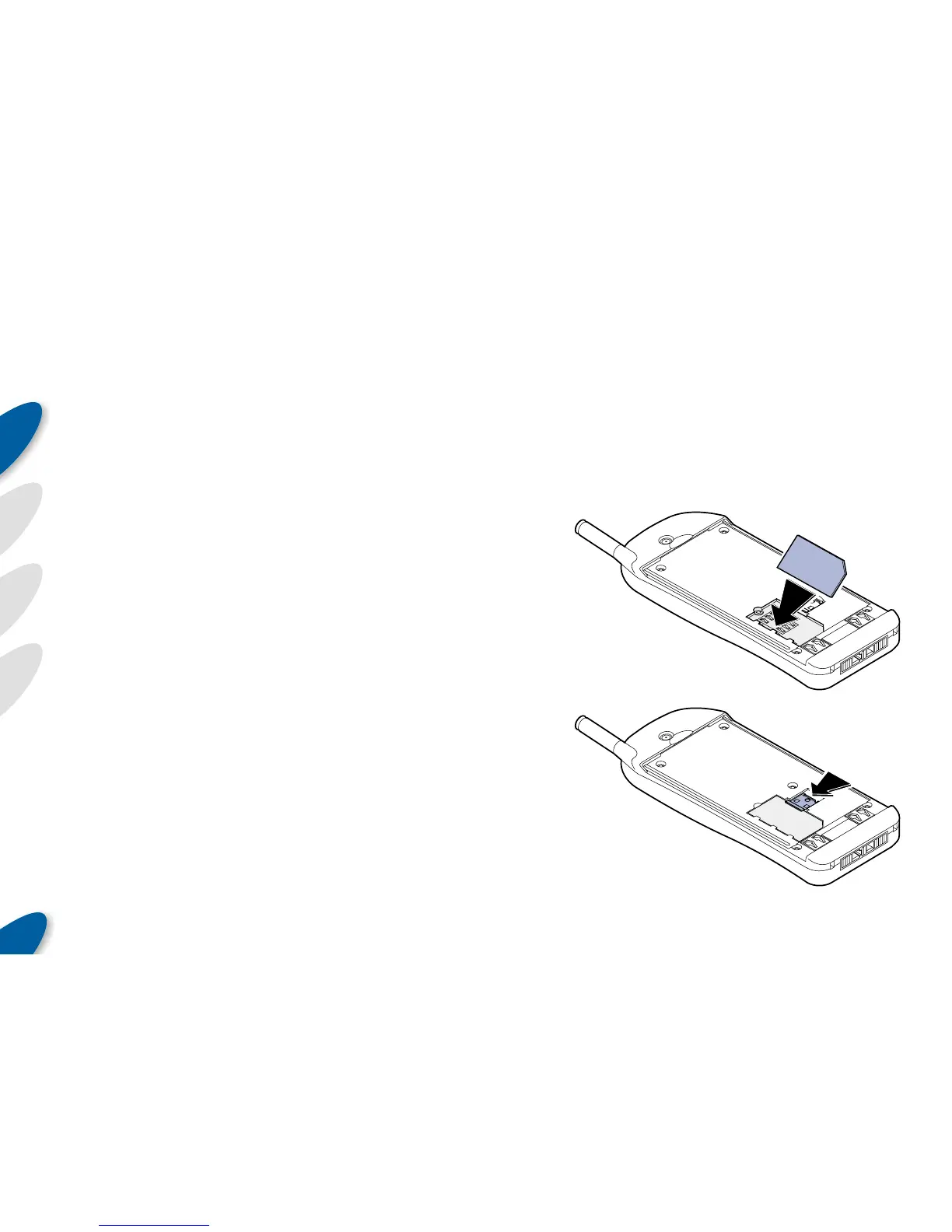
Inserting your SIM card
Your phone will have been supplied with a SIM (Sub-
scriber Identity Module) card from your service provider, if
it has not already been fitted, do this now.
To insert the SIM card:
1 If fitted, remove the battery (see the next section),
2 Place
the
SIM,
with the
contacts
down towards
the phone, so that
its longest edge locates
into the socket underneath
the three tabs,
3 Push
the
SIM
card down
into the
socket and
slide across the
metal locking clip so that
the card is held firmly in place,
4 Replace the battery.



 To Next Page