Getting started and everyday use
6
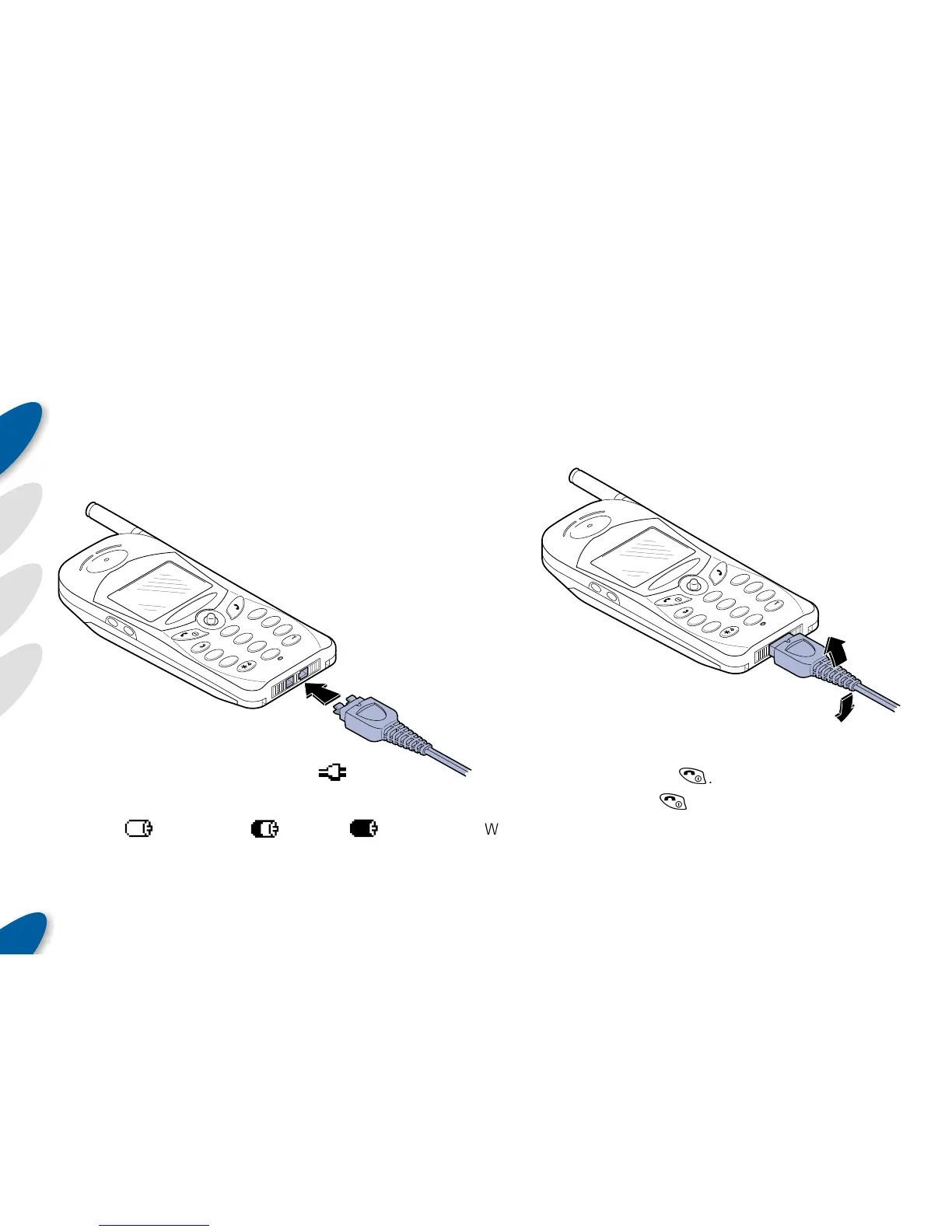
To disconnect the charger lead:
1 Remove the charger body from the mains socket,
2 Grip the charger plug and bend it up or down so that
it snaps away from the base of the phone.
Important: Never pull directly on the cable, hold only
the connector.
Important: Never expose your
phone or battery to high
temperatures, i.e. direct
sunlight in a car.
To charge the battery:
Note: Your phone can be switched on or off while
charging.
1 Plug the supplied charger lead into the base of the
phone – the connector will fit only one way (align the
small notch on the connector with the front face of
the phone),
2 Plug the charger body into a suitable
mains power socket. Charging should
start within two minutes unless the
battery is fully discharged in
which case it may take up
to 20 minutes to
begin charging.
2
5
1
3
6
4
8
7
#
9
0
abc
jkl
def
m
no
g
hi
tuv
pqrs
wxyz
+
2
5
1
3
6
4
8
7
#
9
0
a
b
c
j
k
l
d
e
f
m
n
o
g
h
i
t
u
v
p
q
r
s
wxyz
+
Whilst
charging, the
battery symbol in the
top left corner of the display will
alternate with the charging symbol -
.
The battery symbol indicates the level of charge:
Empty:
Half full: Full:
Once the battery is fully charged, the battery symbol will
show full charge and the charging indicator will cease.
Switching on and off
To switch your phone on and off:
ON Press and release
(
.
OFF Press and hold
(
.
When your phone switches on for the very first time, you
may be prompted for a PIN code:
• To enter a valid PIN code – see Entering a PIN code



 To Next Page