EasyManua.ls Logo

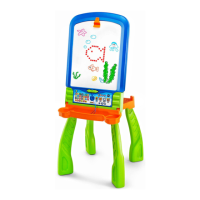
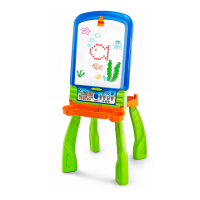
VTech DigiArt - User Manual

VTech DigiArt
17 pages
Print Icon
To Next Page IconTo Next Page
Loading...
Users Manual
© 2016 VTech
All rights reserved
Printed in China
91-003216-006
US

Questions and Answers

  • A
    Amanda BeltranJul 28, 2025
    How to fix VTech Toy magic pen that cannot draw on some dots?
    • K
      Kevin CuevasJul 28, 2025
      If the magic pen of your VTech Toy cannot draw on some dots, ensure that the LED screen is not covered by paper, dry-erase marker drawings, or other dirt. These obstructions can affect the sensitivity of the pen and cause it to malfunction.
  • R
    Rodney WatkinsAug 5, 2025
    Why my VTech Toy does not turn on?
    • R
      Raymond BushAug 5, 2025
      If your VTech Toy unit does not turn on, first, try reloading the batteries to reset it. If that doesn't work, the batteries may be exhausted, so replace them with a new set.
  • J
    John BarnettAug 16, 2025
    What to do if my VTech DigiArt Toy gives an incorrect response?
    • N
      Nathan RuizAug 16, 2025
      If your VTech Toy gives an incorrect response, it might be due to exhausted batteries, so try replacing them with a new set. Also, humidity may cause interference, so make sure the unit is in a dry area.

Summary

Introduction

Activating Normal Play

Steps to turn on the unit and start normal play.

Assembly Instructions

Dry-Erase Easel Form Assembly

Instructions for assembling the easel into the dry-erase form.

Transformation Procedures

Getting Started

Battery Installation Guide

Guide for installing batteries into the unit.

Product Activities

Care and Maintenance

Troubleshooting and Support

Common Problems and Solutions

Addresses issues like unit not turning on or pen not drawing.

Product Warranty Information

Warranty Coverage and Terms

Details of the product's 3-month limited warranty.

VTech DigiArt Specifications

General IconGeneral
BrandVTech
ModelDigiArt
CategoryToy
LanguageEnglish

Related product manuals