EasyManua.ls Logo

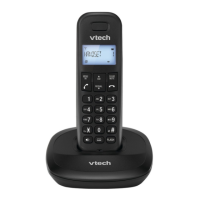
VTech ES1810A - User Manual

VTech ES1810A
51 pages
Print Icon
To Next Page IconTo Next Page
Loading...
1
Models:
ES1810A/ES1810-2A/
ES1810-3A

White Black
http://hkphones.v tech.com

Table of Contents

Questions and Answers

  • E
    Eric RomanAug 2, 2025
    Why my VTech ES1810A Cordless Telephone does not work?
    • B
      Brandi ColonAug 2, 2025
      If your VTech Cordless Telephone isn't working, ensure the batteries are correctly installed and charged. For best performance, return the handset to the base after each use. Also, check that the power adapter is securely plugged into a working outlet, and the telephone line cord is firmly connected to both the base and the wall jack. Try unplugging the base, waiting 15 seconds, and plugging it back in, allowing a minute for synchronization. If problems persist, remove and re-insert the batteries or try new batteries. As a last resort, test the wall jack with another phone to rule out wiring or service issues; if another phone also fails, contact your telephone service provider.
  • J
    Janet CarterAug 7, 2025
    Why does my VTech ES1810A Cordless Telephone have interference?
    • A
      Amanda YoungAug 7, 2025
      If you experience interference or fading calls on your VTech Cordless Telephone, try moving the handset closer to the base. If you have DSL internet, ensure a DSL filter is installed between the base and the wall jack. Also, move the base or any appliances causing interference to a different outlet. Keep the phone away from electronic devices like routers, radios, cell phones, computers, and kitchen appliances. If using a modem or surge protector, try plugging the phone (or the modem/surge protector) into a different outlet or location. Position the base in a central location, away from walls. If the problem persists, test with a corded phone to rule out wiring or service issues; if a corded phone has the same problem, contact your telephone service provider.
  • J
    julie27Aug 14, 2025
    What to do if VTech Cordless Telephone shows low battery?
    • L
      Laura KingAug 14, 2025
      If your VTech Cordless Telephone displays a low battery warning, place the handset in the base to recharge it. Alternatively, remove and reinstall the batteries, use the handset until the battery is fully depleted, and then recharge it in the base. If the problem continues, consider replacing the batteries.
  • G
    Gabrielle HallAug 19, 2025
    How to fix VTech ES1810A Cordless Telephone batteries not charging?
    • B
      Brittany VegaAug 19, 2025
      If the batteries in your VTech Cordless Telephone handset aren't charging, ensure the handset is correctly placed in the base. Remove and reinstall the batteries, then charge for up to 14 hours. If the issue persists, you may need to purchase new batteries.
  • J
    James HooperAug 26, 2025
    What is the common cure for VTech Cordless Telephone?
    • P
      Pamela DavisAug 26, 2025
      If your VTech Cordless Telephone isn't responding normally, try these steps: place the handset in the base, disconnect power to the base, and disconnect the batteries from the handset. Wait a few minutes before reconnecting power to the base, reinstalling the batteries, and placing the handset back in the base. Allow up to one minute for the handset to synchronize with the base.

Summary

IMPORTANT SAFETY INSTRUCTIONS

SET UP THE TELEPHONE

Connect the Base Station

Instructions for connecting the base station to the power adapter and telephone line jack.

Connect the Charger

Steps to connect the charger base to the power outlet.

Install and Charge the Handset Battery

How to install the handset batteries and charge them for optimal initial use.

USE YOUR PHONE

Make a Call

Details different methods for initiating phone calls.

Answer a Call

How to receive and answer incoming calls.

Mute a Call

How to temporarily disable the microphone during a call.

Redial the Last number

How to access and redial previously dialed numbers.

Make an Internal Call

Guide to making calls between multiple handsets.

PRIVATE PHONEBOOK

Store a Number Entry in the Phonebook

Steps to add new contact details to the phonebook.

Dial an Entry

How to initiate a call from a selected phonebook entry.

PHONE SETTINGS

Reset Your Phone

Procedure to restore the phone to its default factory settings.

Register a Handset

Steps to pair a handset with the base station.

TROUBLESHOOTING

VTech ES1810A Specifications

General IconGeneral
BrandVTech
ModelES1810A
CategoryCordless Telephone
LanguageEnglish

Related product manuals