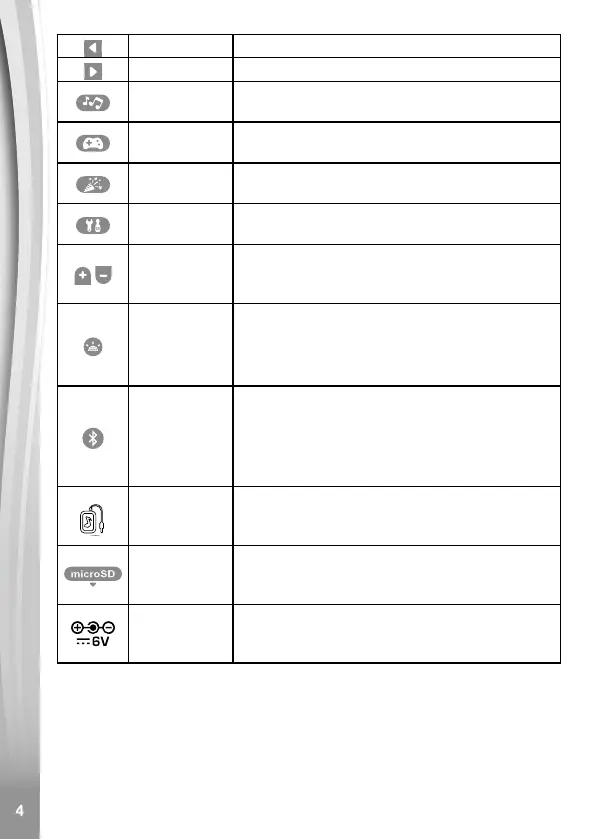
Left Button Press this button to make a selection.
Right Button Press this button to make a selection.
Music Menu
Button
Press this button to go to the Music modes
menu.
Games
Menu Button
Press this button to go to the Games menu.
Party Tools
Menu Button
Press this button to go to the Party Tools
menu.
Setup Menu
Button
Press this button to go to the Setup menu.
Volume
Up & Down
Buttons
Press these buttons to adjust the volume.
Light Control
Button
In Normal mode, press this button to change
the light mode or light options.
In Standby mode, press this button to wake
up the unit to go to Normal mode.
Bluetooth
®
Button
In Normal mode, press this button to go to
the Bluetooth
®
Connection mode.
In Standby mode, press this button to
wake up the unit to go to the Bluetooth
®
Connection mode.
Audio-in
Jack
Plug in an external music player (not
included) by using the supplied audio cable
to listen to your own music.
microSD
Card Slot
Insert a microSD card (not included) with
your own music on it to listen to your songs
through the built-in MP3 player.
3.5mm DC
Jack
Used to plug in a 3.5mm/1.3mm (positive
centre) 6V/800mA DC output AC adaptor
(sold separately).
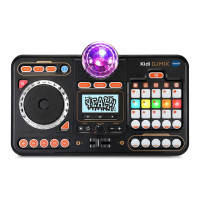
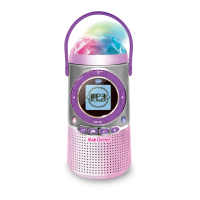
INCLUDED IN THIS PACKAGE
• 1 VTech
®
Kidi Concert
• 1 audio cable
• 1 parent's guide
• 4 AA batteries for demo purposes only.




 To Next Page