EasyManua.ls Logo

VTech KidiZoom Smartwatch DX3 - User Manual

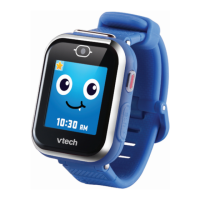
VTech KidiZoom Smartwatch DX3
72 pages
Print Icon
To Next Page IconTo Next Page
Loading...
Instruction Manual

Questions and Answers

  • K
    Kimberly ButlerJul 28, 2025
    What to do if VTech Watch has stopped working?
    • T
      thorntonchristopherJul 28, 2025
      If your VTech Watch has stopped working: 1. Slide the Master Power Switch Off for 30 seconds. 2. Slide the Master Power Switch On again, then press the Home Button to turn the watch on. 3. If it still doesn't work, recharge the battery and repeat steps 1 and 2. Refer to the battery recharging section for details.
  • S
    Scott MolinaAug 3, 2025
    What to do if the screen is not working correctly on VTech Watch?
    • J
      Jordan HillAug 3, 2025
      If the screen on your VTech Watch isn't working correctly: 1. Slide the Master Power Switch Off for 30 seconds. 2. Slide the Master Power Switch On again, then press the Home Button to turn the watch on. The screen should now function normally.
  • C
    Chelsea BushAug 10, 2025
    Why can't I view videos or photos loaded from my computer on my VTech KidiZoom Smartwatch DX3 Watch?
    • M
      martinalexanderAug 10, 2025
      To view videos or photos loaded from a computer on your VTech Watch, ensure the files are in the correct directories. Photos should be in the DOWNLOAD\PHOTO folder, and videos in the DOWNLOAD\VIDEO folder. Also, the VTech Watch only supports photos in Standard Baseline JPEG format and videos in AVI (motion JPEG) format created by the VTech Watch.
  • A
    Ashley RussoAug 15, 2025
    Why are the images taken with my VTech KidiZoom Smartwatch DX3 not clear?
    • S
      smithjoshuaAug 15, 2025
      If the images taken with your VTech Watch are not clear: 1. Ensure the lighting conditions are good. 2. Hold the watch still when taking photos. 3. Check if the camera lens is clean. If there's dust or dirt, see the Care & Maintenance section for cleaning instructions.
  • A
    Adam FlowersAug 22, 2025
    Why VTech KidiZoom Smartwatch DX3 Watch cannot recognize the QR code?
    • G
      Garrett JacksonAug 22, 2025
      Your VTech Watch can only recognize codes generated by DX3 watches. DX3 codes can only be recognized by DX3 watches in Magic Scan, not in Camera mode, and not by any other devices.

Summary

Introduction

Included in the Package

Product Specifications

Getting Started

Master Power Switch

Controls the watch's power. Must be ON for operation and charging.

Battery Recharging

How to charge the watch using a Micro-USB cable and computer.

To Begin Using Kidizoom Smartwatch DX3

Select a Language

Instructions for selecting the preferred language and country.

Set Date and Time

How to set the current date and time on the watch.

To Begin Play

How to navigate to the Home Menu and start activities.

Activities

Clock Display

How to view and interact with different clock faces.

Camera

Instructions for taking photos and switching between cameras.

Video

Instructions for recording videos and viewing them.

Games

Information about the available games on the watch.

Time Master

How to learn to tell time using the watch.

Pedometer

How to use the pedometer to count movements.

Timing Tools

How to use the alarm, timer, and stopwatch features.

Settings

How to configure watch options like volume, brightness, and date.

Care & Maintenance

Troubleshooting

VTech KidiZoom Smartwatch DX3 Specifications

General IconGeneral
TouchscreenYes
Internal Memory256 MB
BatteryRechargeable lithium-ion battery
Splash ProofYes
Recommended Age4-12 years
Video RecordingYes
Photo EffectsYes
Motion SensorYes
CameraTwo cameras
ConnectivityMicro-USB
FeaturesGames, voice recorder

Related product manuals