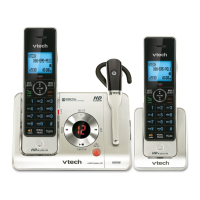
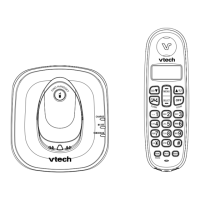
Each handset stores the last 10 telephone numbers dialed.
1. To review and dial numbers from the redial list:
2. Press REDIAL/PAUSE when the handset is not in use.
3. Press , REDIAL/PAUSE repeatedly until the desired entry displays.
4. Press /FLASH or /SPEAKER to dial.
To delete a redial entry:
When the desired redial entry displays, press MUTE/DELETE.
Intercom
Use the intercom feature for conversation between two system handsets. Only one intercom call can be established
with two handsets at a time. If there is an incoming call while the originating handset is making an intercom request,
the intercom request will be stopped.
To initiate an intercom call:
When the handset is not in use, press MENU/SELECT. Scroll to >Intercom, then press MENU/SELECT. If you have
more than two handsets, scroll to select a destination handset, or use the dialing keys to enter a handset number.
To answer an intercom call:
Press /FLASH, /SPEAKER or any of the dialing keys on the destination handset.
To end an intercom call:
Press OFF/CANCEL or place the handset back in the telephone base or charger.
Push-to-talk (PTT)
You can directly broadcast messages from one handset to the speakerphone of one or multiple handsets. Press and
hold PUSH TO TALK to begin two-way communication.
When the connection is made, both the caller and the destination handsets display Press and hold [PTT] to talk and
beep once. Only one handset can talk at a time. To do so, press and hold PUSH TO TALK
Directory
The directory can store up to 50 entries, which are shared by all system handsets.
To add a directory entry:
1. Press MENU/SELECT when the handset is not in use.
2. Scroll to >Directory, then press MENU/SELECT.
3. Scroll to >Add contact, then press MENU/SELECT.
4. Use the dialing keys to enter the phone number (up to 30 digits).
-OR- Copy a number from the redial list by pressing REDIAL/PAUSE and then press , or REDIAL/PAUSE
repeatedly to select a number. Press MENU/SELECT.
5. Press MENU/SELECT to move to the name.
6. Use the dialing keys to enter the name (up to 15 characters). Additional key presses show other characters of
that particular key.
7. Press MENU/SELECT to store the entry.
While entering names and numbers, you can:
Press MUTE/DELETE to backspace and erase a digit or character.
Press and hold MUTE/DELETE to erase the entire entry.
Press and hold REDIAL/PAUSE to insert a dialing pause (for entering phone numbers only).
Press or to move the cursor to the left or right.
Press 0 to add a space (for entering names only).
To review and dial from the directory:
1. Entries are sorted alphabetically.
2. Press / when the handset is not in use.
3. Scroll to browse through the directory, or use the dialing keys to start a name search.
4. When the desired entry appears, press /FLASH or /SPEAKER to dial.
To edit a directory entry:



 To Next Page