23
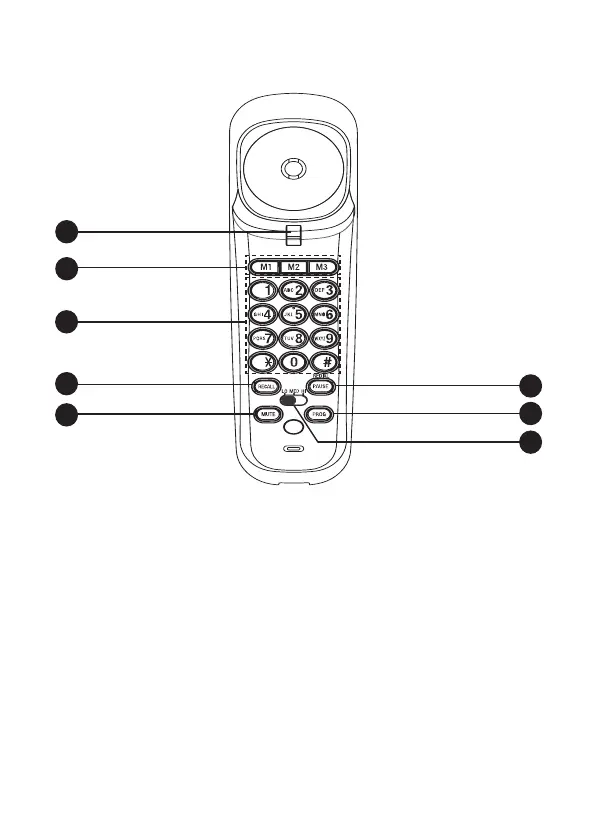
1. SWITCH HOOK
• When held down, the telephone is in idle mode.
• When released, the telephone is ready to make a call.
2. M1/M2/M3
• When the handset is lifted, press to dial a number
from the one-touch memory.
3. DIALING KEYS
• Press to dial a number.
1
2
3
4
5
6
7
8
HANDsET OVERVIEw (REAR)


 To Next Page