Skype
Say “hello” to friends and family with an instant message, voice or video call on Skype for free. Join the millions of people using Skype today to stay in touch
with the people who matter most. There’s so much you can do, right from the palm of your hand.
Open the Skype app
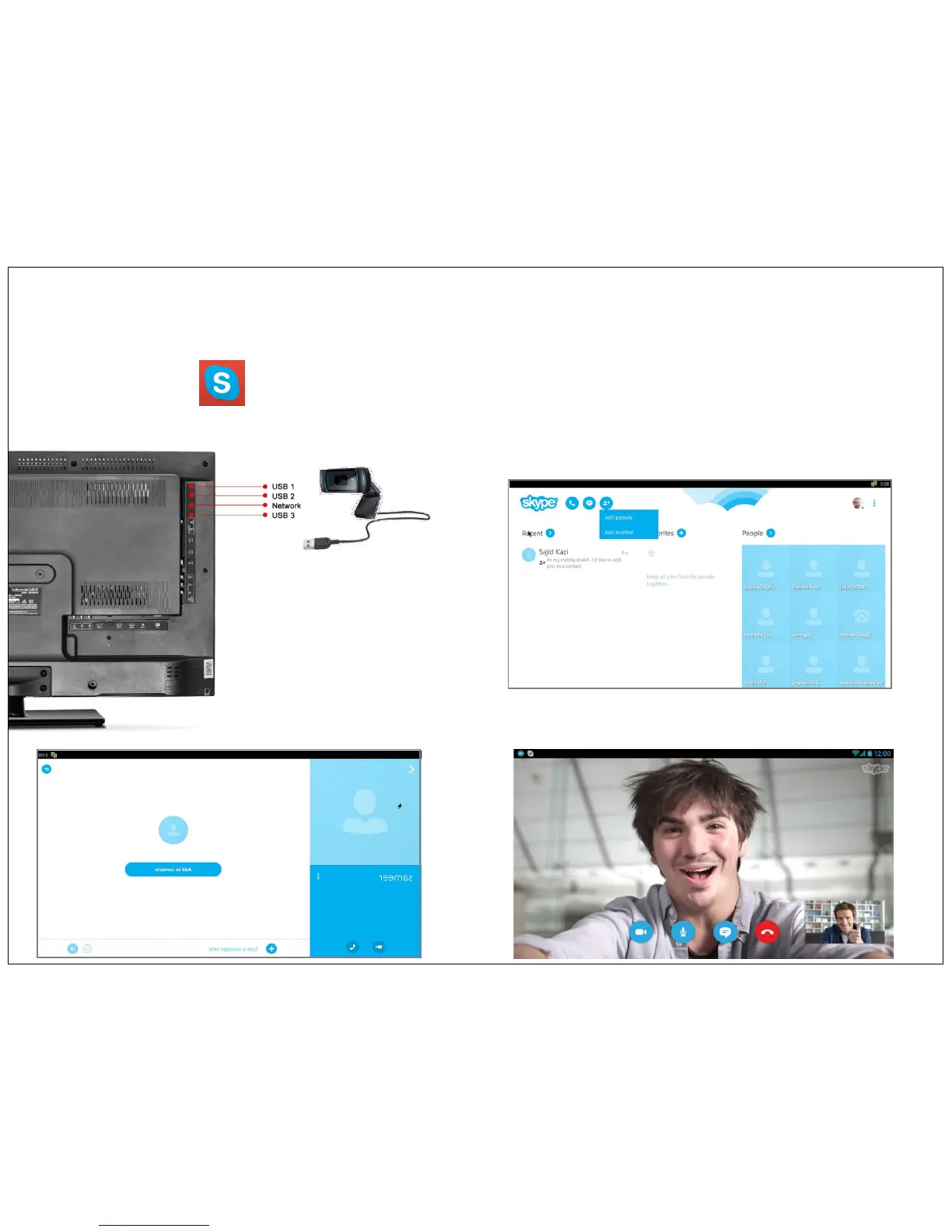
Go to My Apps and click the icon. Add your user name & password to start Skype.
Before switching on the TV, please connect external web camera with built in mic to USB port of TV as shown in below image. Also make sure you have
connected TV to network using wifi or ethernet.
USB Web Cam
11


 To Next Page