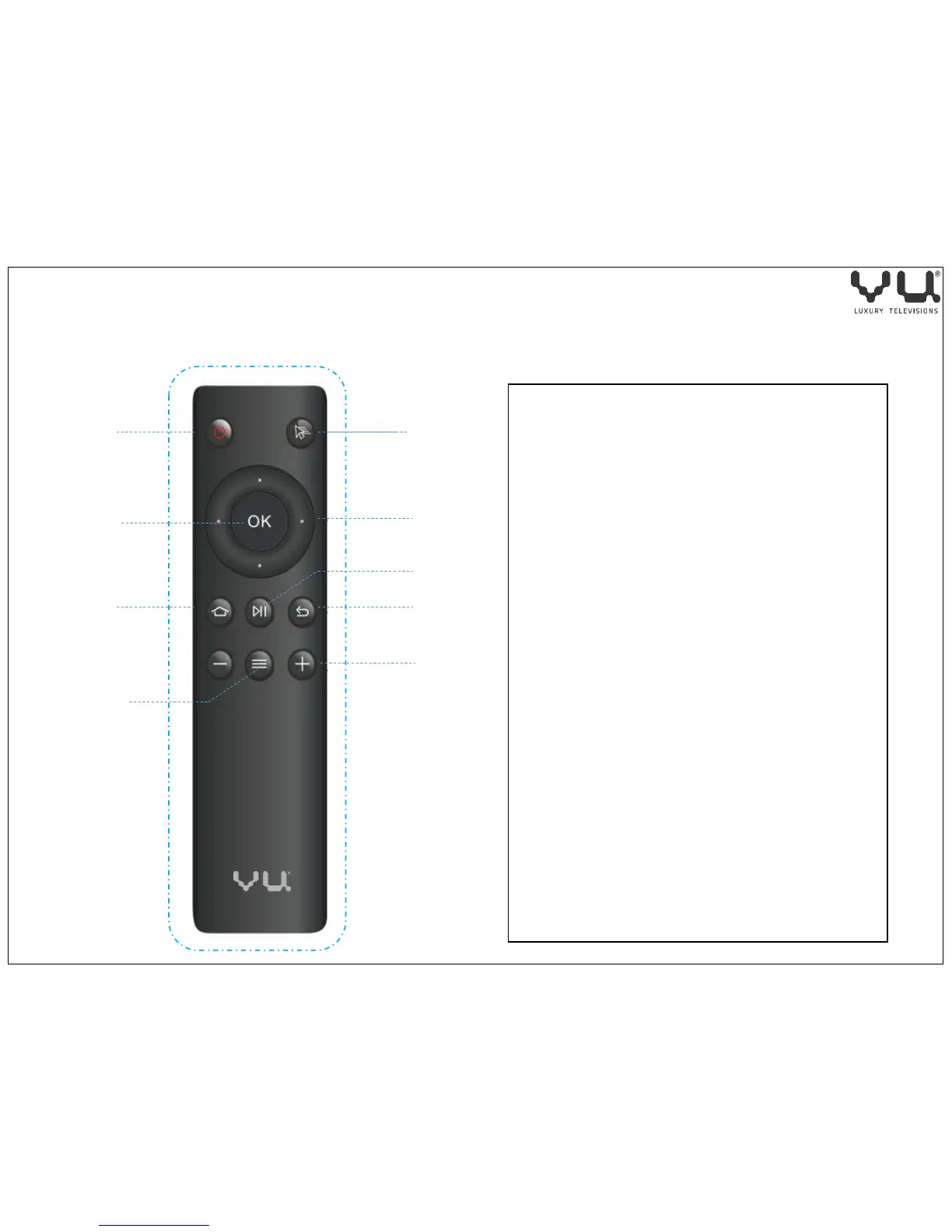
Power: Android Power on/off
Mouse: Switch to mouse mode
OK: To Enter the Selected function
Direction : Up/Down/Left/Right
Home: Enter to home menu
Play/ Pause: Switch video playback and
pause
Return: Return to previous menu
Menu: More features under the
current interface
VOL +/- : Adjust the Volume
Power
Mouse
Up /down
Left/ Right
Direction
Play/ Pause
Return
Volume +/-
Power
On/off
OK
Home
Menu
Remote Control Use
6



 To Next Page