Setting
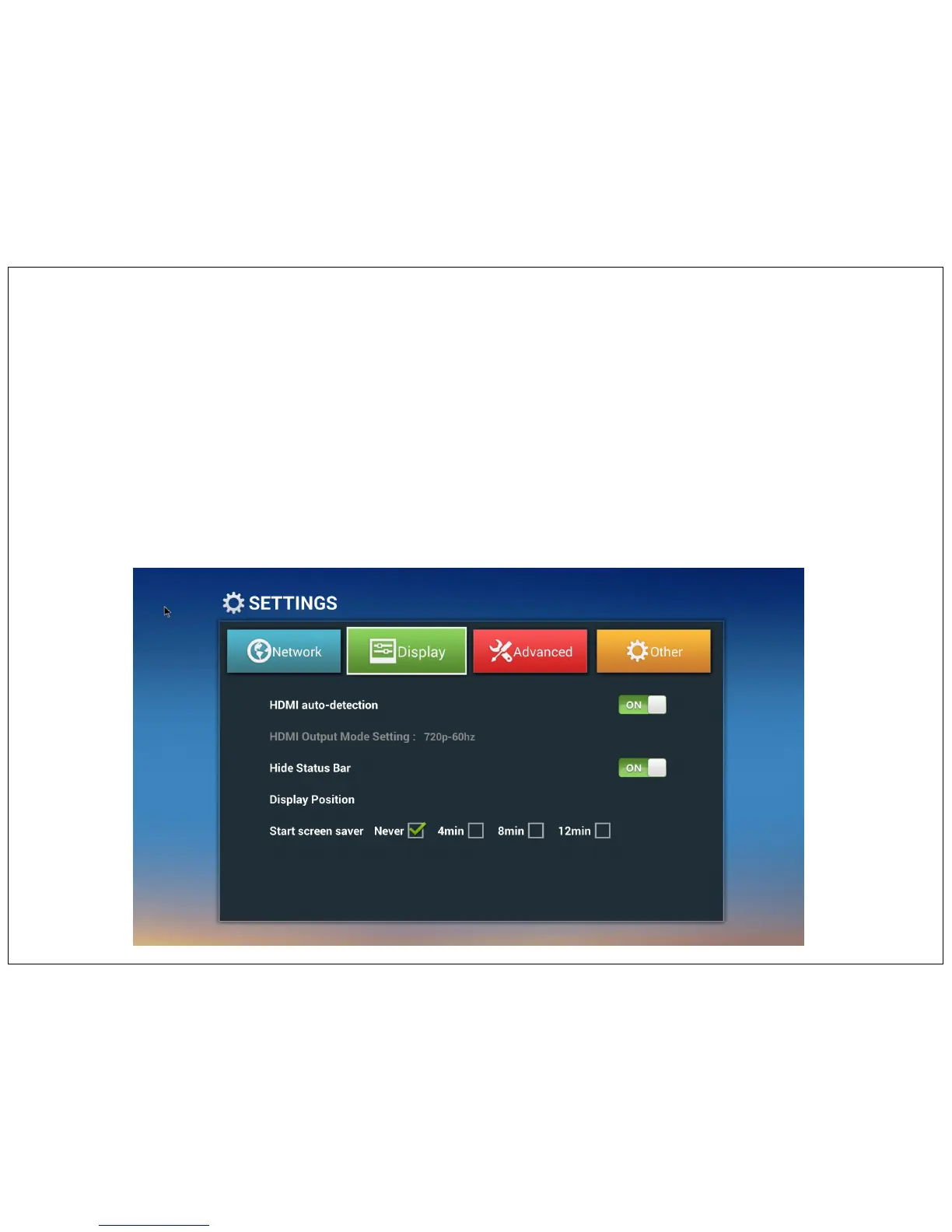
Display Setting
HDMI auto Detection - To adjust the display resolution from Auto or manually - 480P, 576P, 720P, 1080P, 4K.
Do not change HDMI out put mode setting to 4K otherwise display will goes out of sync. i.e. no display.
Hide Status bar – ON/ OFF
Display position – In some apps display goes out of display area, to adjust display screen area change display position by pressing up or down
arrow on remote control.
Screen Saver – Change the screen stand by time as per your convenient.
20


 To Next Page