Home Screen
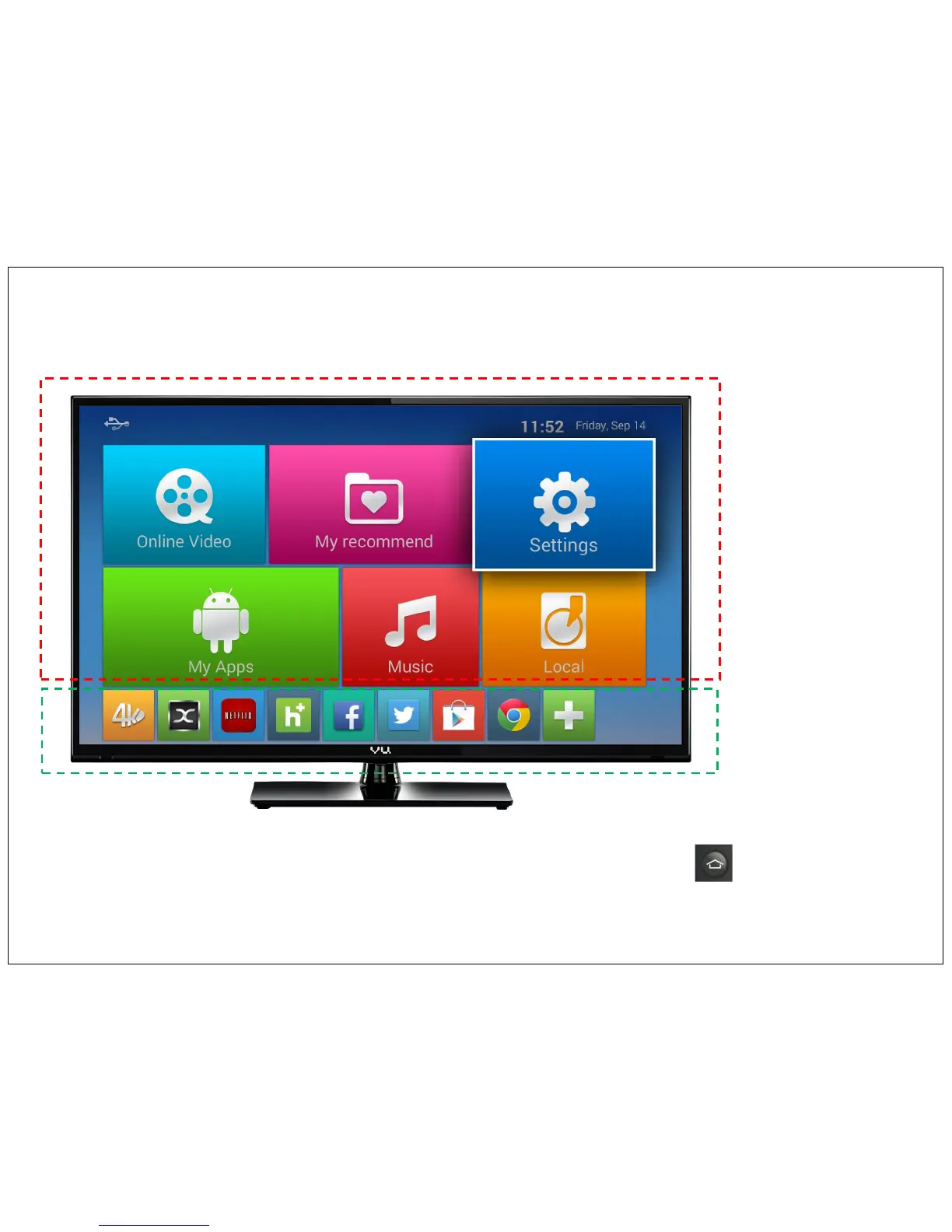
After booting Android TV you will find below Home Screen.
Home screen divided in to different categories – Top portion will show different application categories and bottom portion will show shortcuts of different
favorite Apps
Application Categories
Favorite Apps Shortcut
Home Button on Remote control will always bring you back to Home screen. Your Fun experience start hear.
Just use Remote up, down, left & right key to go to icon or widget of interest. When an icon or widfet is selected, it’s highlighted. Press OK
to go that icon. Above is a sample screen
8


 To Next Page