Internet Browser
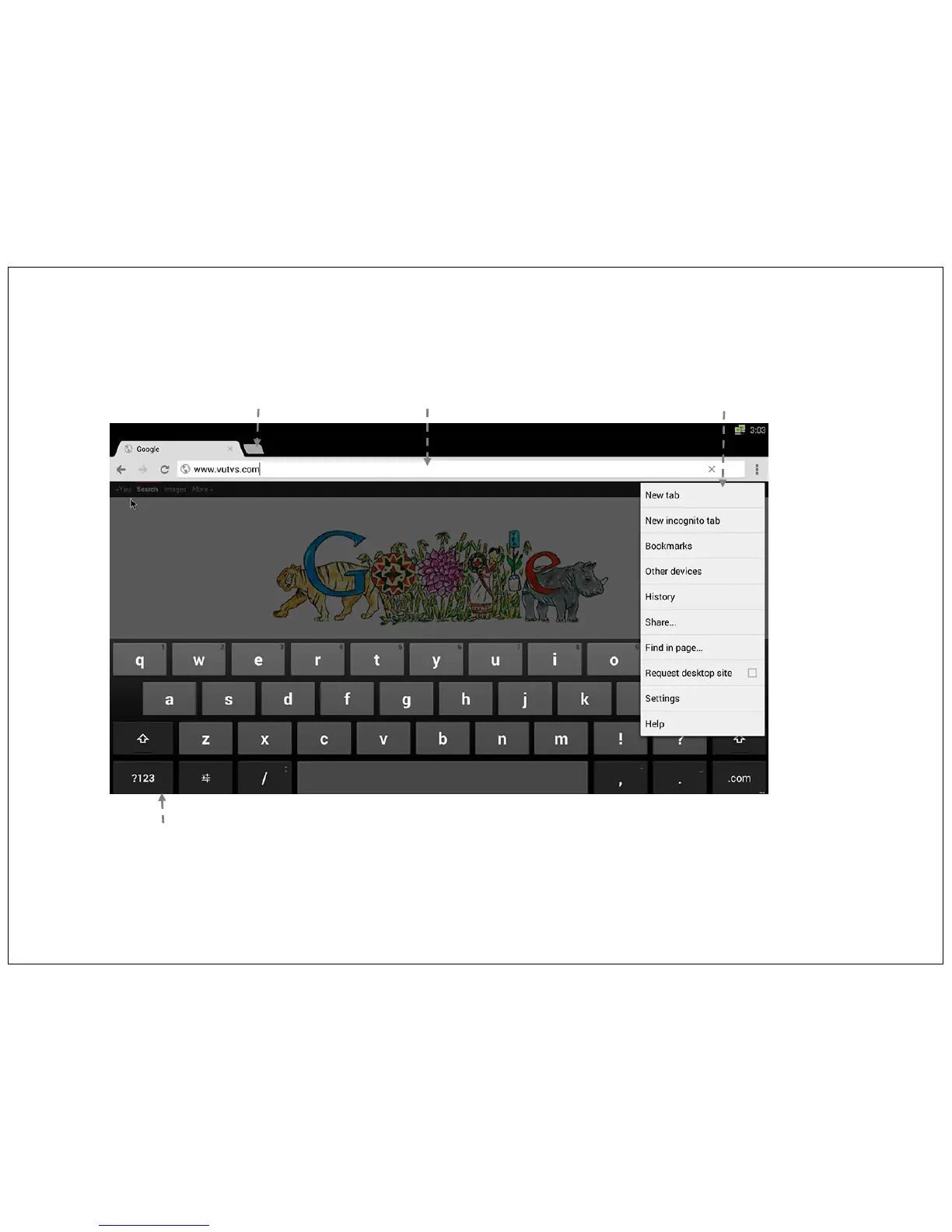
This opens up a Web Browser to browse the web. You can use Google search, type the website URL and brows the website just like you would on a PC. Use
mouse keys or arrow keys to navigate and the virtual keyboard to type in your search words, email & other text input.
Website Address bar
& search bar
New Tab
Extended Functionality
Virtual Keyboard
You can also connect external wire or wireless USB keyboard & Mouse to USB port of TV.
You can also use motion mouse to scroll on browser page. You can drag the page up/ down just like in game.
18


 To Next Page